Call of Duty Black Ops 7 Beginner's Guide - Tips & Tricks
Getting Started
Launching into Call of Duty: Black Ops 7 for the first time can be an overwhelming experience. The game throws a massive amount of content, menus, and modes at you right out of the gate. To avoid paralysis by analysis, your very first step should be treating the Boot Camp playlist as your mandatory training ground. This dedicated matchmaking pool restricts access to players within their first 50 levels, ensuring you aren't immediately thrown to the wolves who have been grinding the game for weeks.
When you first boot up the game, you will be prompted to choose your initial Operator. Unlike RPGs, this choice does not lock you into a specific class or grant unique passive abilities. It is purely an aesthetic decision regarding your character model, voice lines, and execution animations. Pick whoever looks the coolest to you. You can unlock dozens of additional Operators later through the Battle Pass, challenges, or the in-game store.
After selecting your Operator, take five minutes to navigate through the central hub interface. BO7 features a unified menu system that connects Multiplayer, Zombies, and the new Campaign mode. Before jumping into a match, head over to the Loadout tab. The game will automatically assign you a pre-made "Assault" class, but you should immediately familiarize yourself with the Gunsmith interface. Even if you don't tweak anything yet, knowing how to attach a suppressor, change your optic, or swap out a muzzle brake is a crucial survival skill. Finally, ensure you complete the tutorial firing range sequence if the game prompts you, as it rewards a small chunk of early experience points.

Core Mechanics
Before you can outplay your opponents, you must understand the fundamental rules of engagement that govern BO7. The mechanics of this iteration lean heavily into aggressive movement and tactical information gathering.
Movement and Flow
Black Ops 7 utilizes an evolved omnimovement system. You are no longer restricted to simply sliding and diving. You can now sprint, slide, vault, and mantle in any directional combination without losing momentum. Mastering the "slide cancel"—crouching out of a slide just before it ends to instantly reset your slide cooldown—is the single most important mechanical skill to learn. It allows you to dodge gunfire, snap to cover, and close gaps on enemies with unpredictable movement. Additionally, get comfortable aiming down sights (ADS) immediately after initiating a slide. This "slide-shooting" technique makes you a incredibly difficult target to hit while returning accurate fire.
Minimap and Information Economy
The minimap is your lifeline. By default, the minimap only shows enemies who fire unsuppressed weapons. If an enemy shoots you from across the map without a silencer, a red dot appears on the map for a few seconds, revealing their position. If there is no red dot, do not assume you are safe. High-level players run suppressors on almost every loadout to stay entirely off the minimap. You must rely on audio cues—footsteps, weapon reloads, and voice lines—and your own ping system to track stealthy enemies. Get into the habit of looking at your minimap every two to three seconds while traversing the map.
Time-to-Kill (TTK) and Health
BO7 features a notoriously fast Time-to-Kill. Most assault rifles and submachine guns will kill an enemy in roughly 150 to 250 milliseconds if you land your shots. Because you die so quickly, you cannot afford to stand still in the open. If you miss your first few bullets, the smartest move is almost always to break line of sight, reposition, and reset the engagement rather than trying to out-spray a fully aimed opponent. Always run the Body Armor Field Upgrade in your early levels; it grants you an extra 50 points of health (temporarily), which often gives you the split-second advantage needed to win a close-quarters gunfight.
Scorestreaks vs. Killstreaks
Black Ops 7 brings back the Scorestreak system. This means your progress toward earning rewards like UAVs, Cruise Missiles, and Chopper Gunners is based on the points you earn, not just raw kills. Playing the objective (capturing zones, planting bombs, defending hardpoints) fills your streak meter significantly faster than simply sitting in a corner getting kills. Use this to your advantage: an aggressive objective player who goes 15-20 but captures 10 zones will earn their high-tier streaks much faster than a camper who goes 20-5 but ignores the objective.

Early Game Tips
Your first few hours in BO7 are less about raw mechanical aim and more about learning map layouts and building good habits. If you prioritize the right things early on, you will avoid the frustrating plateau that many beginners experience.
- Stick to one gun until Max Level: Do not bounce between ten different weapons trying to find a "main." Pick one gun that feels comfortable (the XM4 assault rifle or the Kilo 141 are highly recommended starter weapons) and commit to leveling it up. Leveling a gun unlocks crucial attachments that drastically reduce recoil and improve range. You need a fully kitted-out "workhorse" weapon before you start experimenting.
- Learn two maps inside and out: Instead of voting for random maps in the playlist, pick two 6v6 maps (like "Vault" or "Expressway") and play them repeatedly. Learn the three main lanes, the locations of all head glitches (places where you can shoot over cover while only exposing your head), and the common spawn flipping triggers. Once you truly master two maps, the underlying logic of map design in CoD will click, making new maps much easier to learn.
- Pre-aim your corners: Never run around with your crosshairs at waist or chest level. Always hold your screen at "head glitch" height exactly where you expect an enemy to appear. This eliminates the need to adjust your vertical aim when you encounter a target, shaving crucial milliseconds off your reaction time.
- Play the objective for score: In objective modes like Domination or Hardpoint, playing the objective is the fastest way to level up your account, your weapons, and your Battle Pass. Even if you die while capturing a point, the score you earned toward your Scorestreaks and progression makes it worthwhile.
- Run the UAV as your first streak: Information is power. Do not equip a high-tier streak like a VTOL Warship in your first slot; you will rarely earn it. Equip a UAV (325 points), a Counter-UAV (425 points), and a Cruise Missile (600 points). Calling in a UAV helps your entire team and significantly boosts your own situational awareness.

Common Mistakes to Avoid
Almost every beginner falls into the same predictable traps. Recognizing and eliminating these habits from your gameplay will immediately elevate your performance.
- Reload Obsession: This is the number one beginner killer. Firing two bullets and then instinctively hitting the reload button leaves you completely defenseless when an enemy rounds the corner. A reload animation can take up to three seconds—an eternity in BO7. Force yourself to only reload when you are 100% safe behind solid cover. If you run out of ammo in a gunfight, swap to your secondary weapon rather than reloading.
- Chasing Kills and Ignoring Spawns: If you get three kills in a row, do not sprint directly toward where you think the next enemy is. In Call of Duty, the spawn system dynamically moves players based on the flow of the map. If you sprint aggressively into the enemy's spawn, the game will instantly spawn enemies directly behind you. After a successful push, instantly look at your minimap, assess where your teammates are, and retreat to a safe position to let the spawns settle.
- Running Through Open Spaces: Sprinting makes you move faster, but it also drastically increases your hip-fire spread and delays your ability to aim down sights. Never sprint across an open courtyard or down the middle of a main lane. Use the edges of the map, stick to cover, and only sprint when transitioning between pieces of cover.
- Ignoring Audio Cues: Playing loud music or having high system volume while ignoring in-game audio is a massive handicap. Footsteps in BO7 are highly distinct. If you invest in a decent pair of stereo headphones, you can pinpoint exactly which direction an enemy is pushing from based on the sound of their boots or the clinking of their weapon reloads.
- Blind Firing from the Hip: Unless you are literally touching an enemy, do not fire from the hip. Hip-fire in BO7 has a massive, unpredictable bullet spread. Even if it takes an extra tenth of a second to bring up your sights, you will almost always win the gunfight by aiming down sights compared to spraying blindly from the hip.
- Camping Without Purpose: Sitting in a dark corner might get you three kills in one game, but it will not teach you how to improve. If you are going to hold a position, do it with "purpose"—hold a high-traffic angle that overlooks an objective. If you don't get a kill within 10 to 15 seconds, rotate to a new angle. The longer you sit in one spot, the more likely an enemy is to flank you or toss a grenade at your feet.
Essential Controls & Settings
The default controller or keyboard settings in BO7 are designed for casual accessibility, not competitive performance. Tweaking your settings is like upgrading the tires on a race car; it won't give you more horsepower, but it will let you actually use the horsepower you have.
Controller Settings
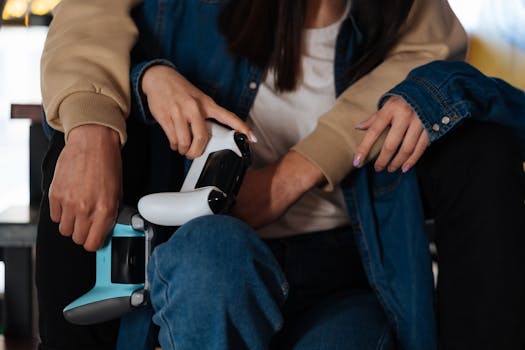
If you are playing on a console or using a controller on PC, the most critical change you can make is switching your Button Layout to "Tactical Flipped." This moves the crouch/slide button from clicking the right thumbstick (B/Circle) to the left thumbstick, and the jump button to the right thumbstick. This allows you to keep your right thumb on the aim stick while sliding and jumping, granting you unparalleled movement control. It takes about three days to build the muscle memory, and once you do, you will never go back.
Next, navigate to Advanced Look. Set your Deadzone as low as possible (5% to 10%) to ensure your aim stick responds to the slightest touch. Turn Aim Assist to "Standard" and leave Aim Response Curve on "Linear" or "Dynamic." Linear means the distance you push the stick directly translates to the speed you turn, giving you 1:1 precision control over your micro-adjustments.
Mouse & Keyboard (PC) Settings
For PC players, the golden rule is consistency. Find your eDPI (effective Dots Per Inch) and stick with it. Most professional CoD players use an eDPI between 800 and 1200 (e.g., 800 DPI mouse with a 1.0 in-game sensitivity). Avoid the trap of lowering your sensitivity so much that you have to lift your mouse three times to do a 180-degree turn; BO7's fast TTK requires you to be able to snap to targets quickly.
Enable Aim Smoothing at a very low setting (around 5-10%) if you feel your mouse input is too jerky, but turn off any "Mouse Acceleration" features in Windows or in-game. Keybinds should prioritize accessibility: map your melee attack to a side mouse button, and ensure your crouch and slide are bound to easy-to-reach keys like 'C' or 'Ctrl' so you don't have to take your fingers off your movement keys.
Video and Audio Settings
For video, prioritize Framerate above all else. Lower your resolution scale, turn off volumetric lighting, and disable dynamic shadows if your PC struggles. Playing BO7 at 240fps provides significantly smoother aim tracking and lower input lag compared to playing at 60fps on Ultra settings. Turn off Motion Blur and Film Grain immediately. These effects only obscure your vision and make tracking moving targets harder.
For audio, set your mix to "Boost High". This equalizer setting specifically amplifies high-frequency sounds, such as footsteps and weapon reloads, making them stand out against the loud explosions and background music of the game.
Progression System
Understanding how BO7 handles unlocks will prevent you from feeling like you are grinding aimlessly. The progression is divided into three distinct tracks: Account Level, Weapon Level, and the Battle Pass.
Account and Military Rank
Every match you play earns Player XP, which advances your Military Rank (from Private all the way to Prestige Master). Leveling up your account unlocks new Field Manuals (perks), Lethal and Tactical equipment, Scorestreaks, and base weapons. Once you hit Level 55, you enter "Prestige" mode. Prestiging resets your account level back to 1, but you keep all your unlocked weapons and attachments. In return, you earn a Prestige Token, which can be used to permanently unlock a specific weapon or piece of equipment, allowing you to use it immediately on a fresh prestige. The real endgame is reaching Prestige Master (Level 200), which unlocks a special animated Calling Card and Operator skin.
Weapon Progression and The Gunsmith
Weapons level up independently of your player rank. You earn Weapon XP by getting kills, headshots, and assists with that specific gun. Every weapon features a progression tree in the Gunsmith. To unlock the best attachments in the game (like the highly sought-after "Recon" or "Supreme" optic attachments, or the long-barrel range boosts), you must complete Weapon Challenges. These challenges typically require you to get a certain number of kills while ADS, get long-distance kills, or get headshots. Always check your current weapon challenges in the Gunsmith menu before a match, and tailor your playstyle to complete them. For example, if the challenge requires 20 headshots, slow down your gameplay, pre-aim high, and be deliberate with your shots.
The Battle Pass
The Battle Pass (often referred to as the BlackCell pass if you purchase the premium tier) operates on a 100-tier system that resets every season (roughly every 8 weeks). You earn Battle Pass tokens by playing the game, which are used to unlock tiers. The Battle Pass is the primary way to unlock new Operators, weapon blueprints, vehicle skins, and cosmetic cosmetic items. Importantly, the Battle Pass also contains "Token" milestones at tiers 5, 15, 25, etc. Do not spend these tokens blindly on random items in the black market store. Save these tokens to permanently unlock new base weapons that are added to the game in mid-season updates.
Resources & Where to Find Help
Call of Duty is a constantly evolving game, with weapon balancing patches and new meta strategies emerging every week. To stay competitive, you need to look beyond the game itself.
Interactive Maps (Warmap)
Before playing a new map, visit an interactive map website like Warmap.io or CharlieINTEL. These sites provide top-down, high-resolution images of every multiplayer map. You can use them to memorize spawn locations, flag positions in Domination, and hardpoint rotation orders. Knowing exactly where you are on the map in relation to the spawns is a skill that separates average players from great ones.
YouTube and Content Creators
YouTube is the absolute best resource for improving your mechanical skill and learning the meta. Do not just watch high-kill gameplay montages; they are heavily edited and do not show the downtime or thought process of the player. Instead, search for "BO7 Class Setup" videos. Channels dedicated to loadouts will test every attachment in the Gunsmith to mathematically determine the lowest recoil and highest damage setups for each gun. Furthermore, search for "BO7 Advanced Movement Guides" to see visual demonstrations of slide-canceling and jump-shotting mechanics.
Reddit Communities
The r/BlackOps7 subreddit is a massive, active community. While it can sometimes lean heavily into complaints about game balance, it is an invaluable resource right after a patch drops. If you log in after an update and feel like your favorite gun is suddenly terrible, check the subreddit; someone has likely already data-mined the patch notes and explained exactly how the weapon stats were changed. It is also a great place to ask specific questions about settings or mechanics if you are confused.
Discord Servers
If you are tired of playing solo and relying on random teammates who don't play the objective, join a Call of Duty Discord server. Websites like Discord.me or Disboard.org host massive LFG (Looking For Group) servers dedicated to CoD. You can join voice channels specifically labeled "Casual" or "Ranked," hop into a lobby with three or four other players, and immediately improve your win rate simply by having a team that communicates. Calling out enemy positions and coordinating Scorestreak usage with a squad makes the game vastly more enjoyable and significantly easier to learn.