Intel's latest desktop chips flip the script: more cores, higher clocks, and prices that undercut last generation. For first-time builders, this means better 1080p and 1440p gaming without overspending. The catch? You need the right motherboard, cooler, and BIOS settings to actually see the gains.
Buy the chip that matches your monitor, not your ego
Most beginners overspend on CPUs and underspend on monitors. Intel's new lineup spans from six-core budget parts to flagship sixteen-core monsters. For 1080p high-refresh gaming, the mid-tier option is the sweet spot. At 1440p, the GPU does more heavy lifting, so the extra cash is often better spent on graphics.
Quick match guide:
- 1080p 144 Hz competitive: Mid-tier 8-core / 16-thread chip.
- 1440p 144 Hz mixed use: Same mid-tier chip; upgrade GPU first.
- 4K or heavy streaming: Higher-core chip only if budget allows after GPU.
What changed in this generation?
Intel moved to a denser process node and reworked the architecture for better power efficiency. The result is higher single-threaded performance—the metric that still drives most frame rates—and lower launch prices than the prior generation asked at the same tiers.
Three shifts matter for beginners:
- Cheaper platform entry. Base chip prices dropped roughly 10–15% versus last year's equivalents.
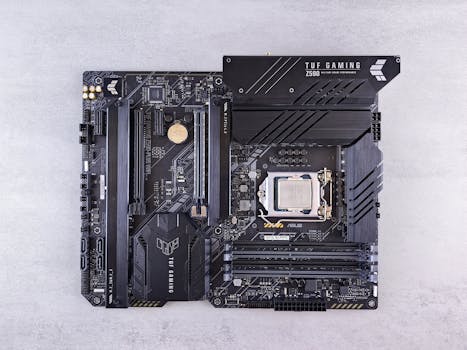
- Memory flexibility. New boards support both older DDR4 and newer DDR5, so you can reuse RAM or upgrade later.
- Power demands climbed. Peak power draw under full load is higher, so stock coolers and cheap motherboards struggle.
First-hour priorities after unboxing
Your first sixty minutes determine whether the system runs cool and stable or throttles in games. Do not install Steam first. Do these steps in order.
What should I check before turning the PC on?
Verify the motherboard BIOS sticker. If it does not list support for the new chip, update the BIOS with a USB stick before the first boot. Many retailers still ship older board revisions. Also confirm the cooler mounting bracket is tight and thermal paste is present—a loose cooler is the most common first-build failure.
Which BIOS settings actually matter for gaming?
Enable XMP (or EXPO) so the RAM runs at its advertised speed. Without it, memory defaults to a slow baseline and drags frame rates down. Disable any "multi-core enhancement" auto-overclock if temperatures spike past 85°C in stress tests. Set fan curves to ramp at 60°C so the chip stays under 75°C during long sessions.
First-hour checklist:
- BIOS updated for new CPU support.
- XMP / EXPO profile enabled.
- Cooler mounted with even pressure.
- Windows power plan set to "Balanced" or "High Performance" (not "Power Saver").
- Chipset and graphics drivers installed from manufacturer sites, not Windows Update alone.
Core mechanics: how CPU choice affects real gameplay
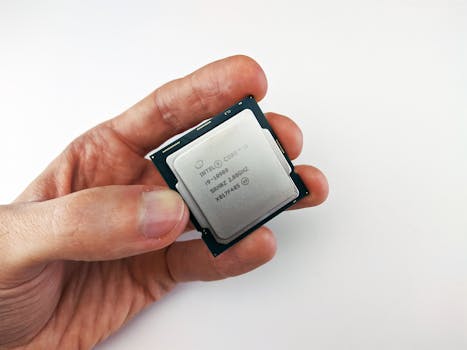
Games are not spreadsheets. Frame rate depends on a tug-of-war between CPU and GPU. At low resolutions with high settings, the CPU is the bottleneck. At 4K, the GPU chokes first. Intel's new chips excel in the first scenario, which is exactly where most competitive and fast-paced titles live.
Why does single-threaded performance still matter in 2025?
Most game engines run simulation, AI, and draw calls on one or two cores. A chip with faster individual cores pushes higher 1% lows—the frames that determine whether a game feels smooth or stuttery. Raw core count helps streaming and background tasks, but it does not fix slow main-thread performance.
When does core count actually help gaming?
Modern open-world titles and strategy games spread physics and NPC logic across more threads. Eight cores is now the practical floor for new AAA releases. Six cores still work, but background apps like Discord or recording software can cause hitching. Sixteen cores is overkill purely for gaming unless you also edit video or run virtual machines.
| Tier | Best for | Typical bottleneck |
|---|---|---|
| Entry 6-core | Esports, 1080p, tight budgets | GPU at 1440p; CPU at 1080p low settings |
| Mid 8-core | 1440p high-refresh, mixed workloads | GPU in most AAA titles |
| High 12–16 core | 4K, streaming, content creation | GPU in nearly all games |
Beginner mistakes that waste money and performance
New builders repeat the same errors every launch cycle. Intel's aggressive pricing does not fix poor pairing decisions.
Should I buy the most expensive CPU I can afford?
No. A high-end chip paired with a mid-range GPU will sit idle while the graphics card sweats. For gaming, the GPU should usually cost 1.5x to 2x the CPU. Violate that ratio and you leave performance on the table.
Is the stock cooler enough for these new chips?
On the entry models, maybe. On the mid-tier and above, no. These CPUs can pull over 180 watts under sustained load. A $40 tower cooler or a 240 mm AIO keeps temperatures in check and prevents clock-drop spikes during long matches. Thermal throttling is invisible until you benchmark; by then, the return window may be closed.
Does motherboard choice matter for frame rates?
Indirectly, yes. Cheap boards often have weak voltage regulators that overheat and limit the CPU's sustained power draw. Look for a board with at least a 10-phase VRM and a heatsink over the VRM area. A $150 motherboard with solid power delivery outperforms a $250 board with RGB and thin VRMs.
Mistakes to avoid:
- Pairing a fast CPU with slow single-channel RAM.
- Buying a "future-proof" 16-core chip when the GPU budget is starved.
- Ignoring case airflow; hot air trapped around the CPU cooler kills clocks.
- Installing outdated BIOS and wondering why the system won't post.
Build, loadout, and settings guidance
Here is a balanced starter build around Intel's new mid-tier chip. Prices fluctuate, so treat this as a ratio guide, not a fixed receipt.
| Component | Guideline | Budget share |
|---|---|---|
| CPU | Mid-tier 8-core new Intel chip | 20% |
| GPU | Upper-mid range card (e.g., RTX 4070-tier or equivalent) | 40% |
| Motherboard | B-series or entry Z-series with heatsinked VRMs | 12% |
| RAM | 32 GB DDR4-3600 or DDR5-6000 dual-channel kit | 10% |
| Cooler | Dual-tower air or 240 mm AIO | 6% |
| Storage | 1 TB PCIe 4.0 NVMe SSD | 8% |
| PSU / Case | 750W 80+ Gold, mesh-front case | 4% |
What RAM speed should I buy?
If the motherboard supports DDR5, aim for 6000 MT/s with tight timings (CL30 or lower). Faster speeds show diminishing returns above 6400 MT/s and can introduce stability issues on budget boards. If sticking with DDR4, 3200–3600 MT/s is the practical ceiling for gaming value.
Should I overclock as a beginner?
Skip manual overclocking. Intel's built-in boost algorithms already push cores near their thermal limits. Instead, learn to undervolt: reduce core voltage by 0.05–0.10V in the BIOS or with Intel's tuning utility. This lowers temperatures, lets boost clocks hold longer, and costs zero stability if tested properly.
Clear next steps: your first week with the new CPU
Hardware is only half the battle. Software and habits determine whether the system stays fast or degrades into stutter.
Day 1: Update BIOS, enable XMP, install chipset and GPU drivers, run a 10-minute stress test to confirm temperatures.
Day 2–3: Benchmark three games you actually play. Note average FPS and 1% lows. This baseline catches problems early.
Week 1: Clean-install Windows without bloatware. Disable unnecessary startup apps. Set a monthly reminder to check for BIOS updates, especially during the first six months of a new platform when microcode patches are frequent.
Frequently asked questions
Are Intel's new CPUs better than AMD for gaming?
At 1080p and 1440p, Intel's new chips often lead in raw frame rates and 1% lows. AMD remains competitive in power efficiency and platform longevity. The gap is narrow enough that price and ecosystem should decide, not brand loyalty.
Do I need a new motherboard for these chips?
Yes, unless you already own the specific socket generation these CPUs use. They are not backward compatible with older Intel boards. Check the socket name on the box before ordering.
Is DDR5 worth it over DDR4 for a first build?
DDR5 offers 5–10% higher frame rates in CPU-bound scenarios. The price premium has shrunk, but DDR4 still delivers excellent value. If budget is tight, build with DDR4 and a compatible board; upgrade the platform in three to four years when DDR5 is fully mature.
How long will a mid-tier chip stay relevant for gaming?
Historically, a solid mid-tier CPU lasts four to five years before becoming a noticeable bottleneck. Given the current leap in single-threaded performance and the shift toward eight-core optimization, this generation should comfortably span a full GPU upgrade cycle.





