Download the free Friend's Pass on your platform store. Ensure both players are on the same platform and region, then accept the in-game invite from the owner.
Who This Is For: New co-op pairs using Friend's Pass, particularly duos mixing controller and keyboard inputs or navigating a skill gap.
Friend's Pass Setup Takes 5 Minutes—If You Skip the Store Confusion
The Friend's Pass enables free co-op if one player owns the base game. Skip opening-hour friction by confirming platform regions, matching input devices, and using compass callouts instead of left/right.
Platform-specific catches:
- Steam: Friend's Pass is a distinct store page. Download, launch, accept the invite from the owner.
- PlayStation/Xbox: Same account region required for both players or invites fail silently.
- Cross-play: Not supported. Both players need the same platform family.
Invite bugs happen. If the join prompt disappears, both restart the game. EA's official Friends Play guide covers platform edge cases.
The First Hour Has Three Hidden Gates Most Players Miss
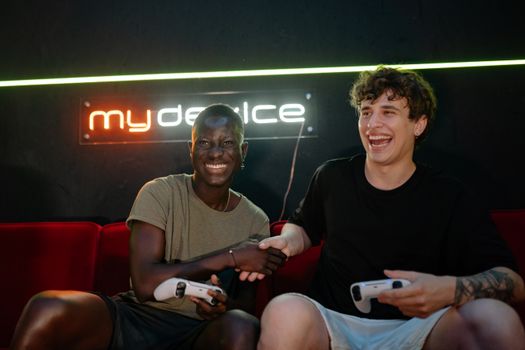
It Takes Two front-loads its tutorial inside narrative cutscenes. New players often treat this as skippable story. It isn't. The opening house section teaches movement timing, callout coordination, and the grab-throw rhythm that every later puzzle depends on.
Why does the opening house section matter more than it looks?
Because the game never explicitly tells you that Cody shrinks and grows; May uses magnetism and duplication—but not yet. The house introduces basic environmental interaction: pulling drawers, jumping on vacuum cleaners, coordinated switch activation. Rush this and you'll struggle 45 minutes later when abilities appear without warning.
First-hour priority order:
- Calibrate your callouts. "Left" and "right" fail in split-screen. Use "my side/your side" or compass directions.
- Master the grab button. Held grabs, not taps. Many ledges require 2-3 second holds while your partner moves.
- Check audio settings. Voice chat + game audio clash. Push-to-talk or separate channels prevent mid-puzzle screaming.

Core Mechanics Work in Pairs—Never Solo
Every ability in It Takes Two is designed for interdependence. This is not "two players with similar powers." This is "your power only works because your partner has the complementary one."
| Chapter | Cody's Tool | May's Tool | What Actually Changes |
|---|---|---|---|
| Garden | Plant growth | Plant acceleration | Cody creates platforms; May speeds them to usable state |
| Toolbox | Nails (anchoring) | Hammer (striking) | Nails hold moving objects; hammer hits nail-secured targets |
| Rose's Room | Time rewind | Time clone | Cody resets objects; May leaves temporal copies for simultaneous triggers |
The common mistake: treating your ability as independent. Cody's nail does nothing without May's hammer target. May's clone expires without Cody's rewind to set up the window. Coordinate before activating, not after.
How do you avoid ability confusion when tools swap mid-chapter?
Watch the tool-gain cutscene carefully. The game shows your new input mapping on-screen for 3 seconds. Miss this and you'll button-mash through the next puzzle. Pause and check Controls if needed—the mapping changes per chapter, not per player preference.

Beginner Mistakes That Waste 30+ Minutes Each
These come from watching dozens of first-time Friend's Pass pairs. The pattern is consistent: one player owned the game before, the other didn't. The owner assumes knowledge; the newcomer hides confusion.
Why do players get stuck on the same puzzle for half an hour?
Usually because they're trying to solve it alone. It Takes Two gates single-player solutions deliberately. The intended design forces communication breakdown, then repair. If you're stuck:
- Stop moving for 10 seconds. Look at your partner's screen. Their view shows the element you're missing.
- Read the environment, not the UI. No quest markers. Color-coded objects match ability colors—nail holes are silver, growth spots are green.
- Try the "obvious wrong" interaction. The vacuum boss early on teaches that attackable objects glow when vulnerable; this rule persists.
What settings should you change before starting?
Default settings assume solo comfort, not co-op coordination:
| Setting | Default | Better Choice | Why |
|---|---|---|---|
| Subtitle size | Small | Large | Split-screen shrinks readable space |
| Screen mode [PC/Steam Only] | Fullscreen | Borderless window | Alt-tab for Discord/wiki without crash risk |
| Camera shake | On | Reduced | Prevents motion sickness in vertical split |
| Audio mix | Balanced | Voice chat priority | Puzzle callouts beat music |
One underreported issue: controller vs. keyboard mismatch. If one player uses controller and the other keyboard+mouse, the keyboard player's camera moves faster. This creates desynchronization in timing puzzles. Match inputs if possible, or the controller player leads timing-sensitive sections.
Progression Is Chapter-Based, Not Level-Based
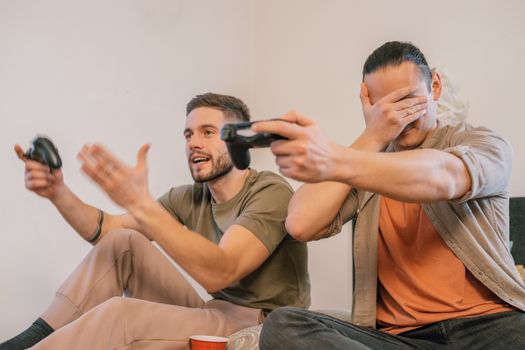
No experience points. No permanent upgrades. It Takes Two resets your toolkit each chapter, then builds complexity within that chapter's theme. This means:
- No "grinding" possible. Stuck? The solution is coordination, not stats.
- No carryover between chapters. Garden abilities vanish in Snowglobe. Relearn each time.
- Minigames are optional but skill-relevant. Each teaches a mechanic used later. Skip them and you'll face that mechanic cold in a harder context.
How long does each chapter take for new players?
First runs average 2-3 hours per major chapter. The full game runs 10-14 hours for newcomers, 6-8 for repeats. Friend's Pass players often take the longer end—coordination overhead is real. Budget two sessions minimum.
Checkpointing is generous but invisible. The game saves at puzzle completion, not time intervals. If you quit mid-puzzle, you restart that puzzle. Finish the room first.
Build and Loadout Guidance: There Isn't One, But There Is Preparation
It Takes Two has no character builds, no equipment choices, no skill trees. The "loadout" is your communication setup. Invest there instead:
- Hardware: Two headsets, not one speaker setup. Audio bleed destroys callout precision.
- Seating: Vertical split means player screens are stacked. Sit so both can see both halves without neck strain.
- Break schedule: Chapter transitions have natural pause points. The game auto-saves; use this. Marathon sessions increase error rates sharply after 90 minutes.
What if one player is much more experienced?
Consider having the owner play May in early chapters like Garden and Toolbox, but swap based on ability comfort. May's abilities tend toward timing and precision (hammer strikes, clone placement), while Cody's trend toward setup and positioning (nail anchoring, growth creation). The less experienced player often benefits from the more forgiving role, though this varies by chapter.
Minigames: Skip at Your Own Risk
Hidden throughout each chapter are competitive minigames: hammer-whack, snail race, shooting gallery. They're easy to miss, marked by faint glowing objects. These aren't filler.
| Minigame | Teaches | Used Later In |
|---|---|---|
| Whack-a-Cody | Hammer timing | Toolbox boss phase 2 |
| Snail race | Momentum transfer | Garden sliding puzzles |
| Shooting gallery | Leading moving targets | Space chapter turret sequence |
First-time pairs often skip these to "save time." They don't save time. They pay later with repeated deaths in the main path.
Clear Next Steps: Your First Session Plan
Here's a concrete 2-hour first session structure:
- 0:00-0:15: Friend's Pass setup, settings check, callout agreement.
- 0:15-0:45: Opening house. Don't rush. Learn grab timing, environmental interaction, split-screen awareness.
- 0:45-1:30: Garden chapter through first ability gain. Practice the grow/accelerate pair. Find 1-2 minigames.
- 1:30-2:00: Reach first checkpoint after the vacuum encounter. This is a natural save-and-quit point.
Between sessions, the owner can check community discussion for puzzle hints without full solutions. Spoiling the coordination moment ruins the game's core design.
When to Seek Help Without Spoiling the Experience
Stuck longer than 20 minutes? Use layered hints, not walkthrough videos:
- Re-read the ability description in the pause menu. Often the answer is there, ignored.
- Look for environmental color matching. Silver = nail, green = growth, blue = time.
- Check IGN's wiki section headers only—read the puzzle name, not the solution, to confirm you're attempting the right approach.
Full video walkthroughs destroy the intended experience. The game is the communication struggle. Remove that and you've removed the point.
Final Checklist Before You Start
- Friend's Pass downloaded, not full game
- Same platform, same region
- Audio settings: subtitles large, voice chat prioritized
- Input method matched (both controller or both KBM)
- Callout language agreed: "my side/your side," not left/right
- 2-hour session budgeted, break planned
- Owner considers playing May in early chapters if a skill gap exists
The Friend's Pass is genuinely free with no hidden subscription. The only cost is patience and willingness to communicate poorly, then better. It Takes Two was designed for this arc. Start there.





