The MSI Claw 8 EX AI+ sets a new benchmark for handheld ergonomics, battery life, and performance via Intel's Panther Lake G3 Extreme chip. Skip the default settings—your first hour should focus on driver updates, TDP calibration, and controller dead zones to protect a $1,500 investment.
The prevailing logic says you unbox a handheld, launch a game, and figure out the software later. For a device priced around $1,500 that MSI is positioning as the new performance benchmark, that logic costs you frame stability. The Claw 8 EX AI+ uses Intel's new G3 Extreme processor, an architecture that requires specific driver frameworks to manage its power-to-performance ratio correctly. Booting straight into Cyberpunk without updating Intel Arc drivers and calibrating the TDP limits hands power management to generic Windows defaults. The result is erratic fan behavior and wasted battery life.
First-Hour Priority Checklist
Hardware this expensive demands a structured setup. The ergonomics are reportedly excellent out of the box—the device feels extremely good in the hands—but the software stack needs attention.
- Run Intel Arc and system firmware updates first. The G3 Extreme chip relies on optimized driver scheduling to hit its efficiency targets. Do not skip this.
- Set the default TDP profile to "Balanced." The processor can draw significant wattage. Capping it around 15W to 20W preserves the device's defining trait: extreme quietness under load.
- Calibrate thumbstick dead zones. Even with improved ergonomics, factory dead zones might not match your tolerance for drift in shooters or precision platformers.
- Map the fan curve to a 70°C threshold. This keeps the cooling system passive during light loads and prevents the fans from spinning up unnecessarily during menus or 2D indies.

Core Mechanics and Progression: How the Hardware Behaves
This isn't a legacy x86 chip shoved into a plastic shell. The Panther Lake architecture changes how the handheld progresses through workloads. The mechanism is straightforward: the G3 Extreme processor dynamically allocates power between its compute and graphics cores based on the TDP ceiling you set. The outcome is a system that can either prioritize raw frame rates or stretch its battery life to extremes, but it will not do both optimally without your input.
You are managing a constant trade-off between thermal headroom and battery longevity. If you push the TDP to maximum to chase high settings in a demanding AAA game, the fans will eventually ramp up, breaking the device's otherwise silent operation. If you lock the TDP too low, the processor bottlenecks, and you lose the performance advantage that justifies the cost over a standard Steam Deck.

Beginner Mistakes to Avoid
The most common error is treating the Claw 8 EX AI+ like a standard Windows laptop. Handheld Windows devices require aggressive background process management.
- Leaving Windows VBS (Virtualization-Based Security) enabled. VBS imposes a hard performance tax on x86 handhelds. Disable it in Windows Security features immediately to reclaim lost frames.
- Ignoring MSI Center's specific profiles. Generic power profiles do not communicate properly with the Intel G3 Extreme silicon. Use MSI's proprietary software to ensure the CPU and GPU power states transition cleanly.
- Using the device while plugged in at 100% battery constantly. While modern batteries have protections, maintaining a charge limit (usually 80%) in MSI Center when plugged into a monitor extends the long-term health of the cells.
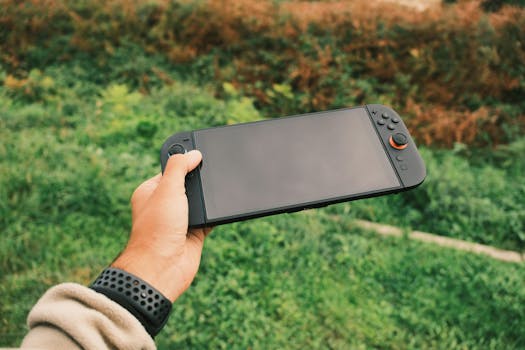
Display and Control Settings
The 8-inch form factor dictates specific visual compromises. Running a game at native resolution with max settings will tank the battery. You have two paths.
The first is lowering the internal render resolution and relying on the display's upscaling, which saves GPU cycles and keeps the system cool. The second is capping the frame rate at 40fps or 60fps using the in-game limiter or MSI's software, which prevents the processor from burning wattage on frames the display cannot physically show.
For controls, the device's ergonomics mean your hands sit differently than on a Steam Deck or ROG Ally. Remap the rear buttons to sprint and crouch immediately. The grip angle reduces the strain of reaching bumpers, making the rear paddles the primary tools for movement modifiers. (This sounds minor until you play a shooter for an hour and realize your index fingers are cramping from holding the left bumper.)
Clear Next Steps
After completing the first-hour checklist, your immediate next step is testing the "Balanced" TDP profile against your three most-played titles. Adjust the wattage cap down if the fans spin up, or up if the frame rate drops below 30. Do not install performance overlay software from third parties until MSI's native tools are exhausted—they interfere with the G3 Extreme's internal power telemetry.

Frequently Asked Questions
Is the MSI Claw 8 EX AI+ worth $1,500?
At $1,500, it is a premium device aimed at users wanting top-tier Intel Panther Lake performance and exceptional battery life in a handheld form factor. It is only worth it if your budget accommodates high-end portable hardware and you plan to play demanding titles away from a desk. The recent Steam Deck price hike to around $1,000 makes the gap narrower, but the Claw offers significantly more raw power.
Why is the Claw 8 EX AI+ so quiet?
The device uses Intel's new G3 Extreme processor architecture, which improves power efficiency at the silicon level. This allows the cooling system to run at lower RPMs even under sustained gaming loads, provided the user configures the TDP and fan curves correctly during the initial setup.
Does the Claw 8 EX AI+ run standard Windows games?
Yes. Because it runs a full Windows environment, it is compatible with standard PC game libraries, launchers, and storefronts, unlike closed-ecosystem handhelds.





