Noctua finally released its top-tier NF-A12x25 G2 case fan in an all-black 'Chromax Black' version, stripping away the company's polarizing beige-and-brown color scheme. The black fans perform exactly the same as the original, retaining the ultra-tight blade clearances and specialized polymer construction that make them famous for whisper-quiet operation. At $35 per fan, you are paying a massive premium purely for acoustic efficiency and a neutral color profile that won't ruin your modern PC build's aesthetic.
The Acoustic Tax and Material Engineering
Most PC builders assume paying $35 for a single case fan is about achieving the absolute lowest temperatures. That assumption is entirely backward. You do not buy a Noctua NF-A12x25 G2 to freeze your components. You buy it to buy silence. For years, the PC building community has fought a losing battle between thermal throttling and jet-engine acoustic noise. Cheaper case fans can push massive volumes of air, but they vibrate, whine, and drone when they ramp up during intense gaming sessions. Noctua engineered the G2 series specifically to solve the acoustic penalty of high-end hardware.
Until now, accessing that acoustic performance required a massive aesthetic compromise. Noctua’s iconic beige and brown colorway was a brutalist status symbol. It signaled that you cared more about engineering than RGB lighting, but it aggressively clashed with modern all-black or all-white PC builds. The quiet release of the Chromax Black model changes the math for aesthetic-conscious builders who previously refused to put brown plastic inside a glass case.
Crucially, Noctua changed nothing about the award-winning formula under the hood. The black fans operate exactly like the standard ones. They still utilize the Progressive Bend impeller design and the Centrifugal Turbulator. More importantly, they are still cast from Noctua's proprietary Sterrox liquid-crystal polymer. This specific material matters because it resists creeping or stretching when the fan spins at high speeds. Because the blades do not warp outward under centrifugal force, Noctua can manufacture the fan with a genuinely tiny gap between the fan blades and the outer housing.
That tiny clearance is the entire secret to the fan's price tag. When fans have large gaps between the blade and the frame, air leaks backward through the gap. That leakage causes turbulence. Turbulence causes noise. By sealing that gap with ultra-stiff Sterrox polymer, the G2 forces all the air forward, resulting in absurdly impressive performance, even at low RPM. You are paying a heavy premium for microscopic manufacturing tolerances, but you finally get it in a color that doesn't look like 1990s medical equipment. Note that this color update currently only applies to one or two standard PWM models. If you specifically need the ultra-low-speed LS-PWM model for a specialized silent rig, you are still restricted to the classic beige and brown.
System Synergy and The Price Bottleneck
Dropping a $35 Noctua fan into a poorly ventilated glass-box case is like putting racing slicks on a lawnmower. The hardware cannot fix bad environmental design. A case fan cannot magically generate cold air; it can only cycle the ambient air available to it. Case design dictates your raw thermal limits far more than fan quality ever will. But fan quality permanently dictates your noise floor.
At $35 per fan on Amazon, outfitting a standard mid-tower case with five G2 models costs $175. That is a massive bottleneck in a build budget. For the cost of a full set of Noctua fans, you can easily jump up an entire tier in GPU performance or double your NVMe storage capacity. If you are building a mid-range system, spending this much on cooling is a catastrophic misallocation of funds. You can buy entire sets of budget PC fans for the price of just a single G2 model. Those cheaper fans will keep your PC just as cool, provided you don't mind them sounding like a wind tunnel under heavy load.
To help visualize the financial trade-off, consider this typical build scenario:
| Component Strategy | Fan Cost | Acoustic Result | Better Use of Funds? |
|---|---|---|---|
| 5x Budget Fans | ~$35 total | High noise under load | Base system is fine |
| 5x Noctua G2 Fans | $175 total | Whisper quiet | Upgrade GPU tier instead |
| 2x Noctua G2 (Intake only) | $70 total | Very quiet | Best balance of noise and cost |
The Noctua G2 is an endgame component. It is designed for the builder who already has their core components locked in and is now trying to optimize the final five percent of their daily user experience. To actually extract value from this fan, you must adjust your motherboard's BIOS settings. The G2 is not the absolute quickest fan on the market in terms of raw RPM, but it is among the best-performing because of its efficiency. You should never run these fans at 100 percent speed. The optimal gameplay loop for PC cooling involves setting a custom fan curve that keeps the G2 spinning at a low, steady RPM while you game.
If you decide to invest in the Chromax Black G2, prioritize their placement based on static pressure needs:
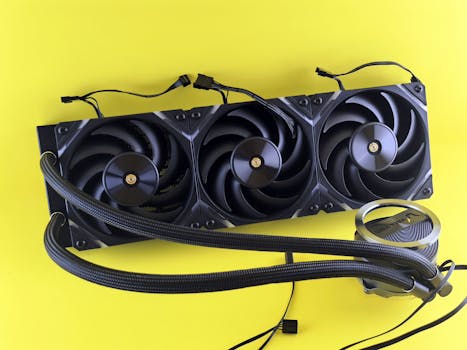
- CPU Radiators: The absolute best use-case. The tight blade gap pushes air through dense water-cooling fins without leaking pressure.
- Restricted Front Panels: If your case has a solid front panel with small side vents, the G2 can pull air through narrow gaps efficiently.
- Exhaust (Skip): Do not waste a $35 fan on a rear exhaust slot where there is zero airflow resistance. A cheap fan works perfectly fine here.
Conclusion
Do not buy a full set of these fans just to populate every empty slot in your PC case. Identify the single loudest cooling component in your current build—usually the fans attached directly to your CPU radiator or your primary front intakes—and swap only those specific units for the Chromax Black G2. You will capture the majority of the acoustic benefits while keeping your upgrade budget intact for hardware that actually increases your framerate.



