A Chinese overclocking team hit 9,206 MHz on an Intel Core i9-14900KF using liquid nitrogen, disabling all E-cores, HyperThreading, and all but one P-core. That's 1% faster than the previous record. For everyday builders, this number is meaningless. For anyone deciding between a 14900KF and competing chips, the record reveals something counterintuitive: Intel's Raptor Lake architecture has more frequency headroom than AMD's current designs, but extracting it requires destroying the chip's multitasking identity.
What This Record Actually Measures (And What It Hides)
The HWBot submission by team wytiwx looks like a pure frequency victory. It isn't. What they achieved was a carefully constrained proof-of-concept: one P-core, no threads, no efficiency cores, DDR5-5792 at loose timings (32-47-41-77), and enough LN2 to obscure the benchers in vapor. The 14900KF normally tops out at 5.6 GHz all-core and 6.0 GHz single-core boost. The 800 MHz gap to Intel's old "10 GHz by 2010" marketing promise remains unclosed after sixteen years.
Here's the hidden variable most coverage skips: the 14900KF is not the usual record chip. The 14900KS, with its binned 6.0 GHz stock peak, has dominated extreme overclocking. That the KF—a slightly lower-binned, graphics-less variant—beat it suggests silicon lottery luck more than architectural breakthrough. The previous 9,118 MHz record on the 14900KS stood for months. A 1% bump after that long indicates frequency scaling is hitting hard physical limits, not engineering plateaus.
The trade-off asymmetry matters for buyers. If you chase the 14900KF thinking "record chip = better silicon," you get a processor that runs hotter than equivalent AMD options at stock, draws more power per frame in most games, and requires expensive cooling to maintain boost clocks. The record proves the core can switch fast. It says nothing about how many cores can switch fast simultaneously, or for how long, or at what wattage. For productivity workloads—rendering, compilation, simulation—the disabled E-cores in that record run represent 16 threads of missing performance.
The decision shortcut: treat extreme overclocking records as thermal physics demonstrations, not buying guides. The relevant comparison for gamers is all-core sustained frequency under air or AIO cooling, where the 14900KF and Ryzen 7 7800X3D trade blows depending on whether the game prefers raw clock or cache depth.
The Real Gameplay Loop: How CPU Buying Actually Works
The "game" of processor selection has three nested loops that repeat every upgrade cycle, and most players optimize the wrong one.
Loop 1: Spec Sheet Comparison. You compare base clocks, boost clocks, core counts, TDPs. This loop feels productive. It's mostly theater. Intel's "253W PL2" rating and AMD's "120W TDP" measure different things at different durations. A 14900KF can sustain 250W+ in all-core loads; a 7800X3D won't exceed 100W but has 96MB of stacked L3 cache that changes the frame-time consistency equation entirely. The hidden mechanic: motherboard power limits vary by default. Some Z790 boards run Intel chips uncapped, others enforce Intel's spec. Same CPU, different performance, zero visibility on the box.
Loop 2: Review Benchmark Chasing. You watch YouTube comparisons, note the 14900KF wins in CS2 by 8% at 1080p, lose interest. The non-obvious insight: CPU benchmarks at 1080p with an RTX 4090 are GPU-bottleneck avoidance tests, not realistic scenarios. At 1440p with a mid-tier card, that 8% vanishes into margin-of-error. The 7800X3D's cache advantage often shows up in 1% lows—frame stuttering—not average FPS, which headline numbers ignore. If you play at 4K or use DLSS/FSR, you're GPU-bound anyway. The CPU becomes a floor, not a ceiling.
Loop 3: Platform Lifecycle Management. This is where money actually leaks. Intel's LGA 1700 socket is end-of-life; Raptor Lake is its final generation. AMD's AM5 socket promises support through at least 2027, with Zen 5 and likely Zen 6 drops incoming. A 14900KF purchase locks you into a dead platform. A 7800X3D or 9700X keeps the upgrade path open. The trade-off: Intel's DDR4 compatibility (on some boards) offers cheaper memory now; AMD requires DDR5, which is mandatory future-proofing at higher upfront cost.
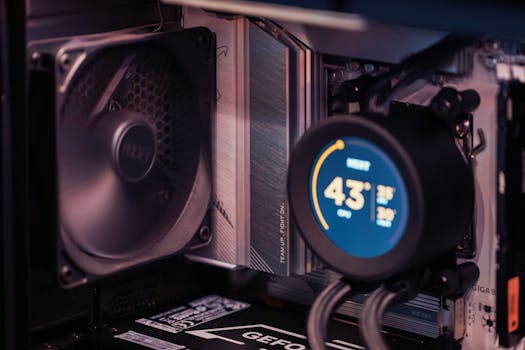
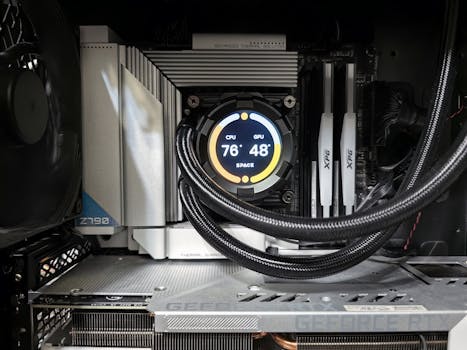
The bottleneck most builders miss: cooling capacity determines sustained performance more than chip choice. A 14900KF on a 240mm AIO will thermal-throttle in all-core loads, performing below its spec. A 7800X3D on the same cooler runs unconstrained. The "better" chip becomes worse if undercooled. Budget $100-150 for cooling a 14900KF properly; the 7800X3D is forgiving with half that.
Where to Focus First: A Decision Framework
If you're deciding today, start with your monitor, not your CPU.
| Your Situation | Prioritize | Avoid |
|---|---|---|
| 1080p 360Hz esports | Raw single-thread, Intel 14th gen or AMD X3D | Cache-light chips, GPU overspending |
| 1440p 144Hz mixed use | 7800X3D or 9700X balance | 14900K power draw for marginal gains |
| 4K 60Hz cinematic | GPU first, CPU second | Any CPU over $400 |
| Content creation + gaming | 14700K/14900K hybrid, or separate build | Single-thread-only chips |
| Upgrade every 2-3 years | AMD AM5 platform longevity | Intel dead-end sockets |
| Upgrade every 5+ years | Buy the GPU headroom, CPU will follow | Overbuilding CPU, underbuilding GPU |
The misconception to burn: future-proofing via CPU is mostly myth. A 2020 Core i9-10900K is now outpaced by a $200 Core i5-13600K. A 2020 Ryzen 5 5600X holds up better due to AM4's longevity, but still shows age. GPU advancement drives gaming relevance faster than CPU. Spend the premium on GPU tier first, then CPU, then cooling to sustain it.
For the returning builder: Intel's "KF" suffix means no integrated graphics. If your GPU fails, you have no backup display output. The $20-30 savings over the K variant is false economy for anyone without a spare card. AMD's comparable "F" chips are rarer; most Ryzen processors include basic graphics for troubleshooting.
The One Thing to Do Differently
Stop reading headline clock speeds as performance. The 9.2 GHz record is a single core, frozen, isolated, and burning kilowatts for milliseconds. Your actual chip will spend its life at 4.5-5.5 GHz across multiple cores, thermally constrained, power-limited, and waiting on memory or GPU. The number that matters is sustained all-core frequency at your cooler's thermal limit—and Intel's advantage there is narrower than the marketing suggests. Buy for the platform lifecycle and the cooling budget, not the frequency trophy.




