Pikmin 3 Deluxe Beginner's Guide - Tips & Tricks
Getting Started
Pikmin 3 Deluxe drops you into the tiny boots of three interstellar explorers—Alph, Brittany, and Charlie—who have crash-landed on the lush, dangerous planet PNF-404. Your mission is to retrieve fruit seeds to save your home planet of Koppai from starvation. Unlike traditional action games, Pikmin 3 Deluxe is a real-time strategy game wrapped in a nature documentary aesthetic, and understanding how to begin is crucial to your survival.
When you boot up the game, you are immediately presented with a choice: Story Mode or Bingo Battle. New players should absolutely start with Story Mode. The game also features an unlocked prologue mission called "Olimar's Assignment," which serves as a prequel to the main story. While veterans might jump here first, beginners should leave it until after finishing the main story, as it assumes a baseline understanding of the game's mechanics.
Character creation isn't applicable in Pikmin 3 Deluxe. Instead of creating a protagonist, you control a squad of three distinct leaders. You do not create their stats or choose classes. However, understanding their subtle differences is part of getting started:
- Alph: The protagonist and engineer. He is the most balanced leader and the one you will control during the solo introductory missions.
- Brittany: A botanist who is deeply obsessed with fruit. Story-wise, she provides commentary on the flora you find, but mechanically, she is identical to Alph.
- Charlie: The boisterous captain of the ship. He is the first to crash land and gets separated from the group early on.
Once you reunite your squad (which happens within the first two in-game days), the game transitions from a solo experience to a multi-leader management sim. You will switch between these three characters on the fly, issuing commands and dividing your Pikmin army among them to accomplish multiple tasks simultaneously.
Core Mechanics
To survive on PNF-404, you must master a few interconnected systems that govern every second of gameplay. At its heart, Pikmin 3 Deluxe is about resource management, micro-management, and understanding elemental weaknesses.
The Pikmin Lifecycle
Pikmin are plant-animal hybrids that grow in the ground. You start by finding a dormant Pikmin sprout. By whistling near it (pressing the Y button), you pluck it from the ground, adding it to your squad. Pikmin mature through three stages: Leaf, Bud, and Flower. A Flower Pikmin moves significantly faster and hits harder than a Leaf Pikmin. You can accelerate this growth by having your Pikmin drink nectar, which is found in glowing plants scattered around the map, or by letting them participate in battle.
Types of Pikmin
You will quickly discover that different colored Pikmin have unique abilities. Learning these is non-negotiable:
- Red Pikmin: Immune to fire. They have high attack power and are your standard frontline fighters.
- Yellow Pikmin: Immune to electricity. They can be thrown higher than other types, making them essential for reaching elevated targets and digging through dirt mounds.
- Blue Pikmin: Immune to water. They are the only Pikmin that can swim without drowning, making them mandatory for any aquatic exploration.
- Rock Pikmin: Immune to crushing attacks. They cannot be latched onto enemies; instead, they act as living projectiles that deal high impact damage and can shatter crystal barriers.
- Winged Pikmin: Can fly over water and obstacles. They are incredibly fragile but perfect for carrying items back to base over impassable terrain or fighting airborne enemies.
- Purple Pikmin (Deluxe Exclusive Side-Missions): Weigh ten times as much as a normal Pikmin, dealing massive blunt damage and nullifying enemy weight-based attacks. They are slow but devastating.
Leaders and Squad Management
You can have up to 100 Pikmin in the field at any given time. These 100 are divided among your three leaders. By pressing the minus (-) button, you bring up the Game Pad map (when playing in standard mode) or the quick-switch menu. You can swap between leaders instantly, or press the C-stick to "Go Here," allowing you to send a leader and their assigned squad to a specific location on the map while you control someone else. This is the foundation of the game's real-time strategy elements.
Time Management
Every day in Pikmin 3 lasts exactly 15 real-world minutes. A giant timer sits in the corner of your screen. When the sun begins to set, you must round up all your Pikmin and call them back to your ship (the Drake) before nightfall. Any Pikmin left on the field when the timer hits zero will be eaten by nocturnal predators and die permanently. Time is your most precious resource.
Early Game Tips
The first few hours of Pikmin 3 Deluxe take place in the Garden of Hope. This area is designed to teach you the ropes, but it can still be overwhelming. Here is exactly what you should prioritize to build a strong foundation.
1. Prioritize Building Your Army
Before you go chasing every glowing fruit you see, focus on extracting Pikmin from Onions (the giant, colored ships where Pikmin live). In the early game, your bottleneck is your army's size, not your knowledge of the map. Clear out the basic enemies blocking the paths to new Onion locations to boost your daily maximum squad size.
2. Grow a Diverse Roster Immediately
Do not leave an area just because you have 50 Red Pikmin. If you see a pond, take the time to push a Blue Onion out of the water. If you see high ledges, get Yellow Pikmin. Having a balanced force of Reds, Blues, Yellows, and Rocks by the end of Day 3 will make the rest of the game exponentially easier.
3. Always Be Carrying
In Pikmin, multitasking is king. If you are moving from Point A to Point B, your Pikmin should be carrying something—be it a fruit, a piece of ship wreckage, or a dead enemy carcass. Every journey back to base should be a supply run. If an enemy drops a corpse, assign Pikmin to carry it immediately. Carrying items back to the Drake yields juice (your health/survival timer) or upgrades for your ship.
4. Learn to "Swap and Drop"
The most efficient way to manage your squad is to dismiss Pikmin by pressing down on the D-pad. This pulls them off your leader and groups them by color. You can then switch to a different leader, walk into the color group you want, and press the A button to instantly reassign them. This allows you to quickly move 50 Blue Pikmin from one leader to another without walking them across the entire map.
5. Use the Lock-On Mechanic Religiously
When fighting enemies, pressing the ZR trigger locks your targeting reticle onto them. As long as you hold ZR, when you throw your Pikmin with the A button, they will automatically be thrown directly at the enemy's weak point or body. Firing blindly without lock-on will result in Pikmin missing and getting crushed.
Common Mistakes to Avoid
New players often develop bad habits that lead to massive Pikmin casualties. Avoiding these seven common mistakes will save you immense frustration.
- Ignoring the Sunset: Waiting until the timer says "1 minute left" to call your Pikmin back is a recipe for disaster. Navigating back to the ship takes time. Start rounding up stragglers at the 3-minute mark. Use the whistle (Y) to gather nearby Pikmin, and use your Go Here command (C-stick) to march leaders and their squads back early.
- Mixed Squad Combat: Throwing a mix of Red, Blue, and Yellow Pikmin at a fire-breathing enemy will result in your Blues and Yellows burning to death. Before engaging an enemy, look at its elemental attributes. Dismiss your squad (D-pad down) and only pick up the specific color that is immune to that enemy's attack.
- Throwing All Pikmin at Once: When you encounter a new creature, do not throw your entire 100-Pikmin squad at its face. Toss 5-10 Pikmin to see how the enemy reacts. Many enemies have sweeping attacks or defensive rolls that will instantly kill dozens of Pikmin at once if you blindly swarm them.
- Ignoring Nectar: Those little glowing grass patches and floating nectar eggs are incredibly valuable. A Flower Pikmin attacks faster and moves faster than a Leaf Pikmin. Taking two seconds to call your squad over to a nectar patch before a fight can drastically reduce your casualties.
- Undertaking Only One Task at a Time: If you spend a whole day walking your squad across the map to push a bridge, only to walk all the way back, you have wasted half a day. Split your leaders. Have Leader A build the bridge, while Leader B gathers fruit, and Leader C fights an enemy.
- Forgetting to Charge Pikmin: By holding the A button instead of just tapping it, your Pikmin will line up behind your leader and crouch. When you release A, they will all be thrown in a rapid-fire, concentrated line. This is essential for breaking down crystal walls with Rock Pikmin or maximizing damage on a sleeping enemy's weak point.
- Leaving Pikmin Idle Near Water If you are done with Blue Pikmin and leave them dismissed near a shoreline, the game's physics or a minor bump from an enemy can knock them into the water. Since they don't follow a leader, no one will save them, and they will drown. Always dismiss squads on elevated, dry land.

Essential Controls & Settings
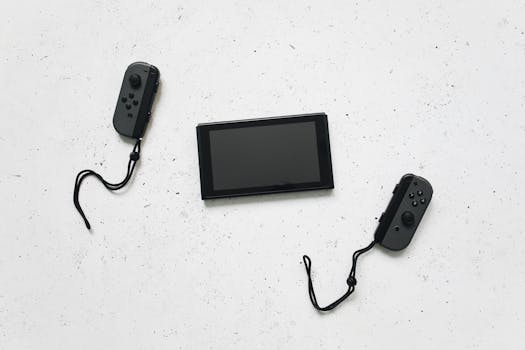
Pikmin 3 Deluxe offers three distinct control schemes, and choosing the right one is vital, especially if you are playing on the Nintendo Switch rather than the original Wii U GamePad.
Control Schemes
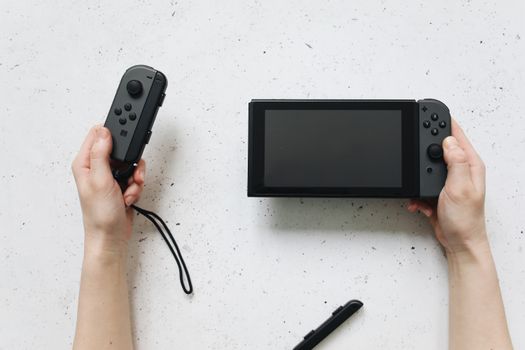
- Unplugged (Default): This uses a single Joy-Con held horizontally. It is designed for casual play or handing a controller to a friend for Co-op. It uses motion controls for aiming, which can feel imprecise. Not recommended for solo story play.
- Classic (Pro Controller / Dual Joy-Cons): This maps the controls to a traditional twin-stick layout. You move with the left stick, aim your cursor with the right stick, and throw with A. This is the highly recommended scheme for beginners. It feels like a standard third-person action game and offers precise cursor control without arm fatigue.
- Pointer (Motion Controls): This mimics the original Wii U setup, where you point the Joy-Con or Pro Controller at the screen like a remote control to aim. If you played the original Wii U version, you might prefer this, but newcomers often find it tiring.
Key Bindings (Classic Scheme)
- A Button: Throw Pikmin / Pluck Pikmin / Interact with objects.
- Y Button: Whistle. This calls idle Pikmin to your side and snaps them out of panic if they are on fire or drowning.
- X Button: Dismiss Squad. Separates Pikmin from your leader and organizes them by color.
- ZR Button: Lock-On. Holds your cursor on an enemy or object.
- ZL Button: Ultra-Spray. Uses your limited supply of Spicy Sprays (increases attack/speed) or Winged Sprays (gives temporary flight).
- C-Stick (Right Stick Click): "Go Here" command. Sends the current leader and their squad to the cursor's location on the ground.
- Minus (-) Button: Opens the map. From here you can view the whole area, see where your other leaders are, and ping waypoints.
Recommended Settings
Before starting, go into the Options menu. Turn on "Camera Invert" if you are used to flight simulators or FPS games, as the default camera might feel unnatural to seasoned gamers. More importantly, ensure your Cursor Speed is set to a level that feels responsive. If you are using the Classic control scheme, bumping the cursor speed up by one or two notches allows you to quickly snap your aim between distant enemies without overshotting your target. Leave the "Motion Aiming" toggle off if you are using the Classic scheme to prevent accidental cursor drifting when you set the controller down.
Progression System
Pikmin 3 Deluxe does not feature a traditional RPG leveling system. There are no experience points or skill trees. Instead, progression is entirely tied to exploration, resource gathering, and technological upgrades.
Fruit and Juice
Your primary progression metric is the amount of fruit juice you have stored on the Drake. Each piece of fruit provides a specific number of cups of juice. You must drink one cup of juice per in-game day to survive. If you run out of juice, the game enters "Succumb to Hunger" mode, forcing you to restart the current day. Therefore, progressing through the game requires constantly finding new, larger fruits to extend your survival window and unlock new areas.
Ship Upgrades
As you explore, you will find scattered pieces of the S.S. Drake, your mothership. Returning these to the ship grants permanent mechanical upgrades. These include:
- Searchlight: Extends the visible radius of your cursor, making it easier to find hidden items in tall grass or dark areas.
- Cosmic Drive: Increases the movement speed of your leaders when they are not accompanied by Pikmin.
- Supreme Pincers: Allows your Pikmin to carry heavier objects, meaning fewer Pikmin are required to drag a massive fruit back to base.
- Blowhog Bellow: Extends the range and area of your whistle, making it easier to round up scattered Pikmin.
Unlocking New Areas
The game world is gated by boss fights and fruit requirements. You will occasionally be informed by your ship's computer that a new area has opened up, usually because you have defeated a major boss or collected enough fruit to power the Drake's sensors. Progression is strictly linear in terms of the order of the areas (Garden of Hope -> Distant Tundra -> Twilight River -> Tropical Wilds -> Formidable Oak), though within each area, you have immense freedom in how you tackle the puzzles.
Deluxe Exclusive Progression
If you are playing the Deluxe version, finishing the main story unlocks "Olimar's Comeback", a side story featuring the original protagonist from Pikmin 1 and 2. Furthermore, completing stages unlocks bonus missions in the Side Stories menu. These are short, timed challenges that reward you with "Platinum Badges." Earning these badges unlocks behind-the-scenes concept art and music tracks, providing a solid collectible chase for completionists.
Resources & Where to Find Help
Even with a guide, PNF-404 can be a punishing place. If you find yourself stuck on a particular puzzle, losing too many Pikmin to a boss, or just wanting to optimize your daily routes, there is a wealth of community resources available.
Wikis
The Pikmin Wiki on Fandom is the absolute gold standard for this franchise. If you encounter an enemy you don't understand, simply search "Pikmin 3 [Enemy Name]". The wiki provides exact health pools, behavioral patterns, and—most importantly—the exact number of each color of Pikmin required to instantly kill or defeat the creature. It also features extremely detailed maps of every area, showing the exact locations of every piece of fruit, ship part, and hidden Pikmin type.
Video Walkthroughs
Because Pikmin 3 Deluxe involves complex spatial routing and real-time multitasking, sometimes reading about a strategy isn't enough. YouTube is invaluable here. Searching for "Pikmin 3 Deluxe Speedrun" or "All Fruit locations Day X" will yield videos from the highly active Pikmin speedrunning community. Watching how experienced players split their leaders and route their days will teach you advanced multitasking techniques that text simply cannot convey. Channels dedicated to Nintendo strategy guides often have curated, casual-playthrough walkthroughs that focus on zero-Pikmin-death runs.
Community Hubs
- Reddit (r/Pikmin): The r/Pikmin subreddit is a welcoming, moderately sized community filled with veteran players, fan artists, and botanists who love identifying the real-world plants that inspired the game's flora. If you post a question asking for help with a specific boss strategy, you will receive detailed, encouraging replies within hours.
- Discord: There are several large, unofficial Pikmin Discord servers that can be found via Google searches or the Disboard directory. These servers usually have dedicated "Help" channels where you can ask questions, as well as channels for organizing Bingo Battle multiplayer matches.
- Nintendo Support: