This week’s best PS5 bundles slash $50–$100 off hardware and stack digital credits with mid-year game sales. For first-time owners, the real win isn’t the receipt—it’s what you do in the first hour. Here’s how to set up fast, avoid rookie traps, and stretch every dollar into actual playtime.
Start with the bundle that actually saves money
Not all “deals” are deals. Some retailers list the disc console at MSRP, then pad the total with full-price accessories.
This week, watch for three real value patterns:
- Hardware + first-party game — typically $499–$529 for the disc model with a title like Marvel’s Spider-Man 2 or God of War Ragnarök.
- Digital Edition drops — the all-digital PS5 sometimes hits $374–$399 during mid-year events; great if you already buy digitally.
- Store-credit stacking — certain retailers attach $50–$75 gift cards or subscription credits. That credit often covers your second game or an extra controller.
Check current pricing at Best Buy’s PlayStation deals hub and Amazon’s PS5 bundle listings. Prices shift fast; compare the final cart total, not the headline.
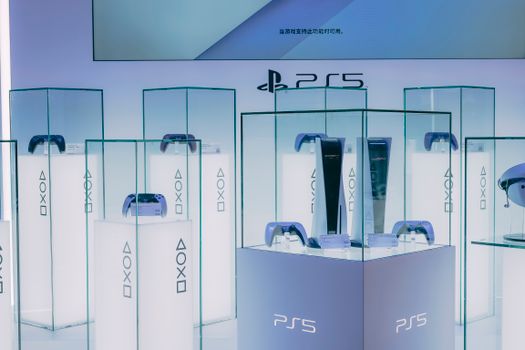
Your first hour on PS5 should follow this exact order
New players who rip open the box and launch a game immediately often miss quality-of-life features that take ten minutes to enable. Do this instead.
What should I do before I install any games?
1. Update the system firmware. The day-one patch fixes controller drift calibration, sleep-mode bugs, and HDMI handshake issues. Connect ethernet if possible; Wi-Fi works, but the initial download is large.
2. Sign in or create a PlayStation Network account. Use an email you actually check. Two-factor authentication is not optional—account theft is common, and Sony support recovery is slow.
3. Claim your 30-day trial carefully. PlayStation Plus trials auto-renew at full price. Set a phone reminder to cancel or downgrade three days before the billing date.
Which settings should I change on day one?
| Menu Path | Setting | Recommended Action |
|---|---|---|
| Settings → Screen and Video | 4K Transfer Rate | Set to -1 or -2 if you see black-screen flicker |
| Settings → Screen and Video | HDR | Run the calibration wizard; most TVs default to crushed shadows |
| Settings → Sound | Audio Output | Set to Linear PCM for headphones; Bitstream for soundbars |
| Settings → Saved Data and Game/App Settings | Auto-Upload | Enable for PS Plus members; protects save files |
| Settings → System → HDMI | ALLM / VRR | Enable if your display supports it; disable if games stutter |
| Settings → Accessories → Controllers | Trigger Effect Intensity | Reduce to “Medium” if your hands fatigue fast |
One common error: players enable 120 Hz output in the system menu, then wonder why their TV blanks out. Not every HDMI port on every TV supports full bandwidth. If you get a black screen, boot into Safe Mode (hold power for seven seconds) and drop the resolution to 1080p.

Understand the core mechanics before you spend on games
PS5 games are not cheap. The smartest move in your first week is to learn how the ecosystem actually works, so you stop paying for things that are free or bundled.
How does PlayStation Plus work for new owners?
There are three tiers. Essential gives you monthly “free” games and online multiplayer. Extra adds a catalog of roughly 400 downloadable titles. Premium tacks on classic games and time-limited trials.
For most new players, Extra is the sweet spot during a sale. You get access to major first-party hits without buying them individually. The catch: games rotate out. If you fall in love with a catalog title, buy it at a member discount before it leaves.
What is the difference between PS4 and PS5 versions of the same game?
Some cross-gen titles install the PS4 build by default. The PS5 version loads faster, uses haptic feedback, and usually runs at higher frame rates. On the game’s hub tile, press the Options button and select Game Version to confirm you are launching the right one. This mistake wastes SSD space and costs you performance.
How do Activity Cards and Game Help actually help?
PS5’s Control Center (tap the PS button) shows Activity Cards for most modern games. These are objective-based shortcuts. In open-world titles, they let you warp directly to a quest marker without menu diving.
Game Help—available for PlayStation Plus subscribers in supported first-party games—embeds hint videos without leaving the game. It sounds minor until you are stuck in a puzzle room and refuse to unlock your phone. Use it.

Avoid the five beginner mistakes that waste money and time
These are the errors we see most often from new PS5 owners in community threads and repair logs.
What are the most common mistakes new PS5 players make?
Mistake 1: Buying the wrong storage expansion. The PS5 internal SSD bay requires a PCIe Gen4 NVMe M.2 drive with a minimum sequential read speed of 5,500 MB/s. Not every M.2 SSD qualifies. Check Sony’s official compatibility list before you buy.
Mistake 2: Resting the console in a cramped cabinet. The PS5 pulls air through the sides and exhausts out the rear. Blocking airflow causes the fan to spike, and in extreme cases, triggers thermal shutdowns. Leave at least four inches behind the console.
Mistake 3: Ignoring rest-mode power settings. By default, the PS5 stays online in rest mode for three hours, then fully shuts down. If you want remote downloads or controller charging overnight, set Settings → System → Power Saving → Features Available in Rest Mode to “Always.”
Mistake 4: Deleting games to free space instead of using external USB storage. You cannot play PS5 games from an external USB drive, but you can store them there and move them back to the internal SSD when you want to play. This is much faster than re-downloading a 100 GB file.
Mistake 5: Buying a second DualSense at full price. Controllers go on sale during the same events as consoles. If you need a spare for local co-op, wait. Colors often drop faster than the white standard model.

Build your first game library without overspending
You do not need ten games on day one. You need one or two titles that teach you the hardware, plus a pipeline for cheap additions.
What are the best starter games for learning the PS5?
Astro’s Playroom is pre-installed. Play it first. It is a full platformer, not a tech demo, and it trains your fingers on the DualSense’s adaptive triggers and haptics. It also hides a nostalgia tour of PlayStation history.
After that, pick one of the following based on taste:
- Action-adventure: Marvel’s Spider-Man: Miles Morales — short campaign, stunning ray-tracing showcase.
- Narrative: The Last of Us Part I — polished remake, excellent accessibility options.
- Co-op: It Takes Two — requires a second controller, but no online subscription for couch play.
- Roguelike: Returnal — intense, but the best demonstration of 3D audio and trigger tension.
How do I find legitimate discounts on PS5 games?
Use three sources:
- The PlayStation Store “Deals” tab — refreshed every Wednesday. Filter by PS5-only to avoid accidental PS4 purchases.
- PS Deals (third-party tracker) — tracks historical lows and sends price-drop alerts.
- Physical retailers during mid-year and holiday events — first-party exclusives rarely drop below $39.99 digitally, but disc copies sometimes hit $29.99.
If you own the disc console, buy used from reputable sellers or local shops with return windows. Discs resell for $15–$25, which makes them cheaper than digital in the long run.
Controller care and loadout basics
The DualSense is the most expensive part of the ecosystem to replace. Treat it well.
How do I make the DualSense battery last longer?
Dim the controller light bar to the lowest setting. Disable the built-in speaker if you use headphones or a TV. Turn off haptic feedback and adaptive triggers for competitive multiplayer—some players also find it improves reaction time in shooters.
Do not charge the controller from a fast-charge wall brick. The DualSense battery is optimized for 5V/1.5A. Higher amperage chargers can degrade the cell faster than the console’s front USB ports.
Should I buy a headset or use the controller mic?
The controller mic works in a pinch, but it picks up button clicks and room echo. A basic wired headset plugged into the 3.5 mm jack is a huge upgrade. For 3D audio—Sony’s spatial sound engine—any stereo headphones work. You do not need a branded “gaming” headset.
Enable 3D audio in Settings → Sound → Audio Output, then calibrate it to your ear shape in the Pulse 3D app (works with non-Sony headphones too). The difference in directional awareness is immediate in horror and competitive games.
Your next steps after the first week
By day seven, you should have: a stable display setup, one finished or nearly finished game, a working knowledge of Activity Cards, and a plan for storage or subscription management.
Week two priorities:
- Decide if you need an internal SSD expansion. 1 TB is the practical minimum; 2 TB is the comfort zone.
- Set up a second user profile if you share the console. Saves and trophies do not transfer between profiles.
- Join one active community for your main game. Reddit and Discord channels surface patch notes, build guides, and event schedules faster than official channels.
Month one checkpoint:
- Audit your PlayStation Plus subscription tier. Downgrade if you are not touching the catalog.
- Back up save data to USB or cloud storage. Corrupted saves are rare, but they are devastating when they happen.
- Evaluate your physical space. If the console is loud, it is asking for more airflow.
Deal watch: what to expect in the coming weeks
Mid-year sales are tapering off, but back-to-school promotions and anniversary events for major franchises often trigger hardware bundles in late July and August. If you are not in a rush, wait for a bundle that includes a game you actually want to play.
Keep an eye on r/PS5 for real-time deal alerts and restock notifications. Community posts usually surface regional sales faster than aggregator sites.
Last updated June 25, 2025. Prices and availability change rapidly; verify before purchase. Some links may be affiliate links.





