Getting Started
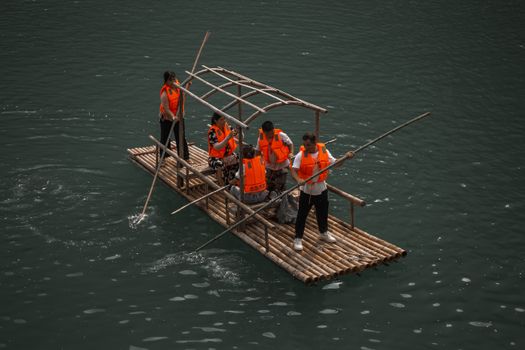
Raft drops you into a desolate, sun-drenched ocean with nothing but a four-square wooden plank and a plastic hook. There is no extensive character creation screen, no lengthy prologue, and no hand-holding. You wake up, look at the horizon, and realize two immediate truths: you are thirsty, and the ocean is full of trash. Your first steps are entirely dictated by basic survival instincts. Grab the hook, look into the water, and start throwing.
The game’s premise is brilliantly simple. Civilization has been swallowed by the sea, and the remnants of the old world float past you on the ocean currents. Your initial goal is simply to survive long enough to figure out what happened. As you pull in your first few pieces of floating plastic and wood, you will begin to understand the rhythm of Raft. It is a game of constant motion, careful resource management, and gradual expansion. You are not just surviving; you are building a home atop an endless, hostile sea.
Before you do anything else, take a moment to familiarize yourself with the UI. In the bottom right corner, you will see your health and hunger bars. In the bottom left, your thirst bar. Thirst is the fastest-depleting stat in the game, making it your very first priority. Do not worry about building a mansion or exploring islands just yet. Your entire existence for the first twenty minutes will revolve around pulling debris from the water, drinking seawater (after purifying it), and eating raw potatoes or beets just to keep your health bar from draining to zero.
Core Mechanics
Raft is built upon a foundation of interconnected systems that govern your survival and progression. Understanding how these mechanics interact is the difference between flourishing on the open ocean and becoming fish food.
The Hook and the Current
Your primary method of gathering is the Plastic Hook. You will throw it into the water to catch floating debris, which includes wood, plastic, leaves, barrels, and occasionally raw crops or metal. Debris spawns at the edge of your render distance and floats toward your raft. If you stand still, the game will naturally feed you a steady stream of materials. However, actively sailing toward dense patches of flotsam is far more efficient. You can craft a more durable Metal Hook later, but the Plastic Hook is more than enough to get you through the first few hours.
Thirst and Hunger
You cannot drink straight ocean water. If you try, you will actually lose hydration. To drink, you must craft a Simple Purifier. This device requires planks and palm leaves to build, but more importantly, it requires you to manually cook water. You place a cup under the purifier, drop a raw piece of coal or a piece of wood into the burner at the bottom, and wait. It is a passive process, but it requires you to remember to scoop the water out once it finishes. For food, you will initially rely on beets and potatoes snagged from the sea. Once you have a cooking pot, you can turn these into simple meals to maximize their hunger-restoring properties.
Building and Expansion
Everything in Raft is built using the Building Hammer. You open the crafting menu, select the foundation, wall, or roof you want, and place it in the world. The most critical rule of building in Raft is that every new piece must be anchored to an existing piece. If you accidentally build a staircase or a pillar with no connection back to your main raft, it will drift away. Foundations are the lifeblood of your raft, but they also require careful planning because they dictate how fast your raft moves. The heavier and wider your raft, the slower it sails, unless you build more engines.
Research and the Table
The most important item you will ever craft in Raft is the Research Table. You can build it very early using planks, plastic, and rope. The Research Table is the gatekeeper to all advanced technology. To learn a new recipe, you place an item into the slot on the table. Once the item is analyzed, it is consumed, and you unlock all recipes associated with that material. For example, throwing in a single piece of copper ore will unlock the smelter, the copper spear, and copper armor. Learning to prioritize what you research first is the key to efficient progression.
Early Game Tips
The first few hours of Raft are a frantic scramble to establish a baseline of stability. If you want to avoid unnecessary deaths and wasted time, follow these priority milestones in order.
Priority 1: The Water Source
Before you expand your raft by a single square, ensure you have a steady supply of fresh water. Gather enough plastic and palm leaves to build a Simple Purifier. Place it down, immediately start cooking a cup of water, and keep a mental timer running. Every time you hear the distinct "ding" of the purifier finishing, drop what you are doing and grab the water. Dehydration will kill you faster than starvation or shark attacks in the early game.
Priority 2: The Throwing Net
Once you can drink, your next goal is the Throwing Net. The recipe is unlocked by researching rope and plastic at the Research Table. The Throwing Net allows you to scoop up massive amounts of debris in a single throw, completely replacing the hook as your primary gathering tool. It has limited durability, so you will need to repair it, but the time it saves is monumental. With a net, you can gather thirty seconds' worth of hook-throwing in a single second.
Priority 3: Basic Station Setup
With your net securing a massive influx of materials, expand your raft to accommodate a Small Crop Plot, a Grass Plot, and a Cooking Pot. Plant a potato in the crop plot and put a mango or pine seed in the grass plot. This guarantees a passive, renewable source of food. The Cooking Pot allows you to combine a potato and a beet (or a mango) to create a dish that restores significantly more hunger than eating the raw ingredients. This frees up your inventory space and ensures you are not constantly panic-eating raw beets.
Priority 4: The Smelter
Eventually, you will pull up a barrel containing copper ore and sand. The moment you see copper, drop everything and build a Smelter. To power the smelter, you need planks, and to turn the ore into ingots, you need to throw in the sand you find. Copper is the gateway to the mid-game. It allows you to craft the Copper Spear, which deals significantly more damage to the shark, and the Receiver, which is required to track down the game's first major story island.
Common Mistakes to Avoid
New players inevitably fall into several traps that can halt their progress or outright ruin their playthrough. Recognizing these pitfalls early will save you immense frustration.
- Building an overly massive raft too early: It is tempting to build a sprawling, multi-story floating fortress the moment you have extra planks. Do not do this. Every single foundation piece adds mass to your raft. If you build a 30x30 raft in the first two hours, you will need an absurd number of engines to move it later in the game. Keep your raft small, tight, and vertically efficient until you unlock engines and can actually power a larger vessel.
- Ignoring the shark: The resident shark, Bruce, will attack your raft every few minutes. He will destroy exactly one foundation piece per attack unless you stab him. Many new players simply ignore the shark and rebuild the destroyed foundation. This is a massive waste of resources. Always keep a spear on your hotbar. When the shark attacks, jump in the water and hit him three or four times. He will let go of the raft and swim away, saving your precious planks.
- Researching the wrong items: Do not waste your early, scarce resources on researching useless items. Never research basic building materials like planks, rope, or thatch unless you absolutely have to (and usually, you don't). Focus your early research on essentials: the Throwing Net, the Smelter, the Cooking Pot, and the Receiver. If an item requires a rare resource like a bolt or a circuit board, do not research it until you have a steady supply of that item.
- Throwing away empty cups: When you use the Simple Purifier, it requires an Empty Cup. If you drink the water, the cup goes back into your inventory. However, if you accidentally drop the empty cup in the ocean, or throw it away thinking it is trash, you will not be able to make more water. Always keep at least three empty cups in a chest on your raft as an emergency backup.
- Sailing without anchors: Before you stop to dive underwater for resources or explore a small island, drop your Throwable Anchor. If you dive without an anchor, the ocean current will slowly push your raft away. It is entirely possible to surface from a dive, look up, and watch your raft disappear over the horizon, leaving you to drown in the middle of nowhere.
- Forgetting to repair your tools: Tools in Raft have durability. When a tool reaches zero durability, it breaks and is destroyed forever, along with any upgraded versions you may have applied to it. Watch the durability bar closely. When it gets low, put the tool in your hotbar, select it, and hold the repair key to fix it using the base material it was made from.
Essential Controls & Settings
To survive effectively, you need to master the game's controls and tweak the settings to suit your playstyle. The default keybindings are standard for first-person games, but there are a few crucial interactions that are not immediately obvious.
Key Bindings
- W, A, S, D: Standard movement.
- Spacebar: Jump. Holding space while in the water makes you swim faster.
- Left Mouse Button: Use item (throw hook/net, swing weapon, place building piece).
- Right Mouse Button: Alternate use. This is highly contextual. For building, it rotates the piece. For the purifier or smelter, it opens the interaction menu to add fuel or take out items.
- E: Interact/pick up items from the ground.
- Tab: Open inventory.
- L: Lock/Unlock cursor. This is vital for navigating complex crafting menus without accidentally looking around.
- R: Repair (hold while looking at a damaged tool on your hotbar or a damaged building piece with a hammer equipped).
- F: Drop item. Be very careful with this key, as dropping an item over the edge of the raft means it is gone forever.
Recommended Settings
If you are prone to motion sickness, the default camera bob while walking on a swaying raft can be brutal. Navigate to the settings menu and turn Camera Head Bob completely off. You should also reduce the Field of View (FOV) slider if it is set too high, as a wider FOV can distort the edges of the screen when the raft rocks violently.
For visual clarity, increase the Subtitle size. Raft relies heavily on audio cues—the shark roaring, the purifier dinging, the radio crackling—but if you are playing with background noise or lack good speakers, subtitles will ensure you never miss a crucial survival prompt. Finally, ensure your Sensitivity is dialed in accurately; you will be doing a lot of precise aiming with your hook and spear, and an overly high sensitivity will make gathering feel clunky.
Progression System
Raft does not feature a traditional experience point or skill tree system. Your progression is entirely tied to two things: the items you research and the story islands you visit. The game is divided into distinct chapters, each culminating in a journey to a unique location that advances the narrative and unlocks massive technological leaps.
The Research Table Pipeline
Your immediate progression is driven by the Research Table. Early on, you will feed it basic materials like plastic, rope, and seaweed. Mid-game progression requires you to research metals like copper and titanium. Late-game progression revolves around researching electronics, circuits, and rare items like biodiesel. The system is designed to force you to choose your path. If you research a luxury item like a painting or a flower pot before researching essential survival gear, you are actively delaying your own progress. Always prioritize utility over aesthetics in the early and mid-game.
Story Islands
The true backbone of Raft’s progression is its story destinations. After you craft a Receiver and three Antennas, you will pick up a distress signal directing you to the Radio Tower. This is your first major milestone. Here, you will meet a non-playable character who gives you a permanent ally, sets up the game's primary antagonist, and provides you with the blueprint to create a Engine, allowing you to sail against the current.
From there, the progression follows a distinct path: Vasagatan (a large stranded ship), Balboa Island (a dense, overgrown landscape), Caravan Town (a decrepit amusement park), and finally Tangaroa (a massive, futuristic domed city). Each of these locations requires specific gear to survive. You cannot comfortably explore Balboa Island without a Machete to cut through thick brush, and you cannot survive Tangaroa without advanced armor and weapons. The game naturally gates your progress by ensuring you must master the mechanics of the previous island to gear up for the next.
Blueprints
Occasionally, you will find blueprints floating in the ocean or hidden on islands. Unlike the Research Table, which consumes the item you place in it, blueprints are permanent recipes that do not destroy the item. If you find a blueprint for a better sail or a new weapon, simply pick it up and read it. Always prioritize picking up blueprints, as they often save you from having to sacrifice rare materials at the Research Table later on.
Resources & Where to Find Help
While Raft is a relatively intuitive game once you understand its core loops, there are moments where you might get stuck trying to figure out a specific puzzle or find a hidden item. Fortunately, the Raft community is large, active, and highly dedicated to documenting every aspect of the game.
The Official Raft Wiki
Your absolute best resource is the Raft Wiki on Fandom. It is meticulously maintained and contains pages for every single item, recipe, animal, and island in the game. If you are wondering exactly how many pieces of dirt you need to grow a pine tree, or what the specific coordinates for the Vasagatan safe rooms are, the wiki has the answer. It is an invaluable tool for planning your base layout, as it details the exact size and resource cost of every building piece.
Community Hubs
The Raft Discord server is the central hub for the game’s player base. It is divided into specific channels for help, base showcases, lore discussion, and bug reporting. If you encounter a technical issue, such as your save file corrupting or your raft falling through the world, the Discord is the fastest place to get assistance from both community members and occasionally the developers themselves.
The r/RaftTheGame subreddit is another excellent resource. It is heavily geared toward showcasing impressive base builds, sharing funny clips of shark attacks gone wrong, and discussing optimal late-game strategies. Browsing the subreddit is a great way to get inspiration for your own raft design and to learn about advanced mechanics you might not have discovered on your own.
Video Guides
For visual learners, YouTube is packed with high-quality Raft content. Creators regularly upload "first hour" guides, complete walkthroughs of specific islands like Tangaroa, and tutorials on how to build highly efficient, compact base layouts. If you are struggling to understand the exact layout of the Caravan Town or how to optimize your engine placement, a quick video search will immediately clear up any confusion.
Finally, if you run into hard-stopping bugs or have suggestions for the game, the developers at Redbeet Interactive are highly active on their official Twitter account and Steam Community forums. They regularly read player feedback and push out hotfixes based on community reports. By utilizing these resources, you will transition from a desperate survivor clinging to a wooden plank to a master navigator ruling the high seas in no time.





