Fortnite Festival just bridged the gap between plastic peripherals and real instruments. Epic Games enabled native MIDI drum kit compatibility, meaning your actual electronic drum set now controls the in-game kit. You hit real heads, and your avatar mirrors the impact on stage.
MIDI integration turns Fortnite Festival into a legitimate practice tool
This isn't a gimmick. The update maps standard MIDI note values directly to the game's hit windows. If your kit sends a signal for a snare, the game registers a snare.
The latency depends entirely on your audio interface and PC setup, but players running direct USB connections report near-zero input delay. Playing through a standard game controller always felt detached. Striking an actual drumhead introduces physical feedback that plastic pads simply cannot replicate.
The catch: velocity sensitivity is currently unsupported. Whether you tap the rim or blast a rimshot, the game registers a standard "hit." You won't fail a song for hitting too hard, but you lose the dynamic scoring layers present in dedicated music titles like Harmonix's Rock Band 4.
Does my specific electronic drum kit work with Fortnite Festival?
If it outputs MIDI via USB or a 5-pin DIN connection through an interface, it probably works. Kits from Alesis, Roland, and Yamaha have been confirmed by the community. You do not need proprietary software. The game listens for the MIDI channel your module broadcasts on.
Some older modules require a manual channel switch in their onboard menus before Fortnite recognizes the inputs. If the game isn't picking up your kicks, check that your module isn't filtering channel 10 (the standard percussion channel).
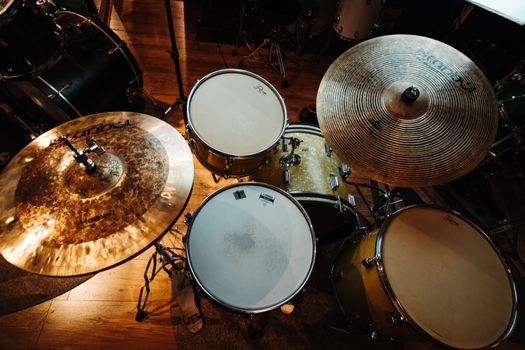
The core gameplay loop remains the same, just with heavier sticks
Fortnite Festival operates on a familiar rhythm-game blueprint. Notes cascade down a highway. You strike the corresponding inputs when they cross the target line.
The progression hooks are straightforward:
- Score chasing: Higher accuracy yields more Festival Points.
- Pass/Fail: Miss too many notes on higher difficulties and the song ends early.
- Crowd meter: Hitting streaks fills a meter that triggers stage effects and visual pyrotechnics.
Adding a MIDI kit changes the physical execution without altering the underlying rules. You are still chasing a high score on a leaderboard. The difference is purely kinetic. You feel the stick recoil in your hands.
How do I switch between guitar, vocals, and drums in a set?
You don't switch mid-song. Before a track starts, the lobby assigns parts. If you queue up with a MIDI kit active, the game locks you into the drum slot. You can manually override this in the controller settings if you want to use a pad for guitar, but the MIDI inputs will default to percussion mappings.
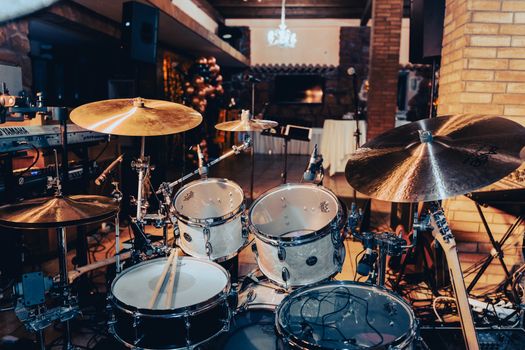
Setting up your MIDI drums requires specific menu tweaks
Plug-and-play works for some, but expect to dig into the settings. Here is the practical sequence to get running without pulling your hair out.
The setup checklist:
- Connect your drum module to your PC via USB or audio interface.
- Boot Fortnite and enter the Festival mode lobby.
- Navigate to Settings > Game > MIDI Input.
- Set "MIDI Device" to your specific module.
- Verify "Percussion Channel" matches your module (usually 10).
- Run the "Calibrate MIDI" tool to sync visual note speed with your reaction time.
Where players mess up: skipping the calibration tool. Because MIDI registers instantly, the visual highway can feel painfully slow if you leave it on default controller settings. Bumping the note speed to 120-140% makes the chart feel synced to your physical strikes.
Another common error involves double-triggering. Real drumheads bounce. If your module's sensitivity is too high, a single hit sends two MIDI signals, instantly breaking your combo. Turn down the pad sensitivity on your hardware module, not in the game.
Do I need an audio interface to use MIDI drums in Fortnite?
Only if your drum module lacks a direct USB output. If your kit connects to a PC via USB (like most modern Alesis or Roland kits), you just need the cable. If you are running an older kit with only 5-pin MIDI outs, you need an interface like a Focusrite Scarlett to translate the signal for your computer.
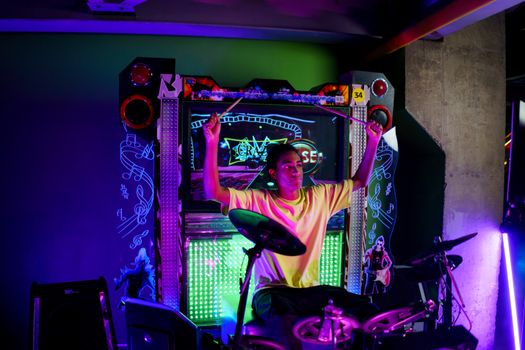
Key modes and progression systems worth your time
Fortnite Festival splits its attention across a few distinct pillars. Understanding where to invest your time prevents grinding dead-end modes.
Main Stage: The standard score-chase mode. Play official licensed tracks. This is where the MIDI drums shine brightest, as the charting for drum parts is notably tighter here than in community stages.
Jam Stage: A free-form lobby where players improvise over backing tracks. MIDI drums work here, but the lack of structured charts makes it feel more like a noisy sandbox than a game. Good for warming up your wrists.
Progression Hooks:
- Festival Pass: A seasonal battle pass offering cosmetic instrument skins, outfits, and emotes. Playing with MIDI drums earns XP at the same rate as a controller.
- Leaderboards: Global rankings separated by instrument. MIDI players currently dominate the drum leaderboards due to the physical advantage of real sticks.
Can you earn V-Bucks or exclusive skins by playing Festival?
No. Festival grants Festival Points and Battle Pass XP. It does not payout V-Bucks directly. The cosmetic rewards are locked to music-themed outfits and instrument designs. You cannot buy a standard weapon skin with Festival XP.
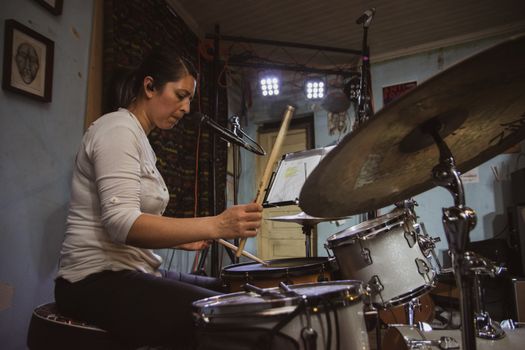
Beginner tips for real drummers transitioning to the game
If you sit behind a kit in real life, your instincts will betray you initially. Fortnite Festival is not a drum simulator. It is a rhythm game wearing a drum kit's skin.
Practical guidance for actual drummers:
- Ignore ghost notes. The chart rarely asks for subtle accential hits. Play exactly what is on screen, nothing more.
- Stop your right foot from riding. Real drummers keep time on the hi-hat. The game penalizes you for hitting inputs that aren't charted. Rest when the notes stop.
- Use matched grip. Traditional grip offers no advantage here and makes reaching the toms awkward depending on your kit's physical layout.
The biggest hurdle is unlearning musicality. In a real band, you push the groove. In Fortnite Festival, you are a human sequencer. Your job is to replicate the visual pattern with exact timing. If you add a flam because it "feels right," you will get a "Good" instead of a "Perfect," tanking your score multiplier.
What difficulty should a real drummer start on?
Start on Hard. Normal difficulty often removes the kick drum entirely, which creates a deeply unnatural feeling for anyone with actual limb independence. Hard introduces the kick patterns that mimic real playing, making the transition less jarring.
Hardware limitations and the current state of the feature
This MIDI integration is new, and the edges are rough. Epic rolled it out as a functional feature, not a polished product. Expect quirks.
Known friction points:
- No cymbal choke detection. Grabbing a cymbal to stop it does nothing in-game.
- Hi-hat pedal logic is binary. Open and closed hi-hats are mapped to different inputs, but the game doesn't detect partial opening. It's open or shut.
- No multi-zone support. If your snare has a rim trigger and a head trigger, the game treats both as a standard snare hit.
These limitations frustrate working drummers. However, for the vast majority of players who just want to smash along to their favorite songs in Fortnite, the setup works. The physical weight of a real stick makes the gameplay loop significantly more engaging than mashing plastic buttons.
Will Epic add velocity sensitivity and cymbal choking later?
Epic has not announced plans for dynamic velocity mapping. Given that the game's scoring system is built around binary hit/miss judgments, adding velocity would require a fundamental overhaul of the scoring math. Don't expect it in the current season.
Why this matters for the broader rhythm game genre
Rhythm games spent a decade relying on proprietary plastic instruments. Rock Band 4, the last major holdout, still demands specific controller hardware to function. Fortnite Festival bypassing that barrier by accepting generic MIDI signals is a shift in accessibility.
You don't need to buy a specialized gaming drum kit. You use the electronic kit already sitting in your spare room. This lowers the barrier to entry from a $200 hardware purchase to a free software update.
The feature isn't perfect. The lack of velocity sensitivity keeps it from being a true hybrid learning tool. But as a proof of concept, it proves that rhythm games don't need walled gardens of proprietary plastic to function. Standard protocols work fine when developers bother to implement them.




