Procreate is a one-time purchase of roughly ¥88 on the App Store. If you already own an iPad and Apple Pencil, buy it today—no subscription, no upsell, no reason to wait. If you're on Android, Windows, or Mac without an iPad, this app literally does not exist for you. That exclusivity is the entire story.
The Anti-Consensus Take: Procreate Is Overkill for Most Downloaders
Here's what nobody tells you: Procreate's 4.2-star rating with 35,000+ reviews hides a brutal mismatch between marketing and reality. The App Store page sells "professional" tools—16K canvases, 3D painting, animation timelines, PDF comic layouts. Most buyers use three brushes and a single layer. They're paying for a Ferrari to commute to the grocery store.
The hidden cost isn't money. It's cognitive load. Procreate dumps hundreds of brush settings, 25+ blend modes, color profile imports, and vector text onto users who wanted "a nice drawing app." The onboarding is essentially: here's a blank canvas, good luck. Compare this to Procreate Dreams (the separate animation app) or even free alternatives like Autodesk SketchBook, which surface tools progressively. Procreate assumes you know what you need.
This creates a predictable churn pattern. Users download, poke at brushes, feel overwhelmed, abandon. The app becomes "that thing I bought and should use more." The ¥88 price is low enough to ignore, high enough to create guilt. For every creator posting Procreate timelapses to TikTok, there are dozens of dormant installs.
The real decision shortcut: do you already have a drawing habit? Not "I want to start." A habit. Procreate rewards existing practice; it does not create it.
What Meaningful Use Actually Feels Like
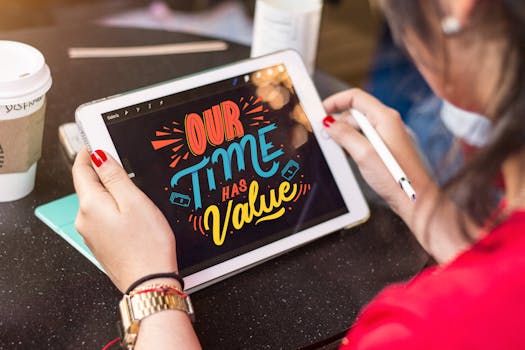
After sustained use, Procreate reveals its design philosophy. Every interaction prioritizes speed over discoverability. Gestures are muscle-memory heavy: three-finger swipe to copy, four-finger tap for full screen, Apple Pencil double-tap for tool switching. These become invisible after 20+ hours. Before that, they're friction.
The Valkyrie engine delivers on its promise. Large canvases don't lag. Complex files with 50+ layers remain responsive on recent iPads. But the hardware floor matters enormously. The grounding snapshot includes a telling user complaint: 2022 iPad Pro owners experiencing brush lag, auto-undo bugs, and canvas displacement during zoom. These aren't isolated. Procreate pushes hardware hard, and older or even recent-but-glitchy iPads suffer.
The asymmetry: Procreate runs "faster than Photoshop" on iPad per its marketing, but only because it's iPad-native. On desktop, Photoshop still dominates for print-resolution work, CMYK color modes, and non-destructive smart objects. Procreate's "PSD export" is a compatibility bridge, not parity. If your workflow ends in print or cross-platform collaboration, you'll hit walls.
Color management is another underdiscussed trade-off. Procreate uses 64-bit color internally, but lacks CMYK preview. Designers preparing work for physical printing must export to another app for color mode verification. For digital-only output—social media, web, screen-based illustration—this is irrelevant. For packaging, magazine, or merchandise work, it's a workflow-breaking gap.
The Monetization Mirage and DLC Reality
Procreate's business model is almost suspiciously straightforward in 2024. One purchase. No subscription tiers, no "Pro" unlock, no cloud storage upsell. The ¥88 price (regionally variable) has held roughly steady for years. This is the anti-Adobe strategy, and it's Procreate's genuine differentiator.
But "no subscription" doesn't mean "no ongoing cost." Brush packs from third-party creators range from free to premium prices. The 3D painting feature requires compatible models, often purchased separately. Animation output at 4K demands storage—iCloud or local. The "studio" framing implies self-sufficiency, but professional workflows still leak money to adjacent tools.
Update cadence matters here. Procreate 5X added significant features (3D, timelapse updates) as free updates to existing owners. Procreate Dreams launched as a separate app rather than a Procreate DLC, suggesting the company prefers clean product lines over feature bloat. This is user-friendly but creates uncertainty: will your purchase age gracefully, or will you need Dreams, future apps, or hardware upgrades to stay current?
The decision shortcut: calculate total cost of ownership, not sticker price. iPad + Apple Pencil + Procreate + potential storage expansion + possible companion apps. For committed creators, this still undercuts Creative Cloud long-term. For dabblers, it's expensive infrastructure for occasional use.
Who Should Buy, Who Should Skip, Who Should Wait
| Situation | Verdict | Caveat |
|---|---|---|
| iPad + Apple Pencil owner, any drawing experience | Buy now | Check iPad model against known brush lag issues |
| iPad owner, no Pencil, finger/touch only | Skip or wait | Core experience requires pressure sensitivity; alternatives like Concepts or even Notes suffice |
| "Want to learn digital art" with no prior practice | Wait | Start with free apps (Sketchbook, Krita if desktop available) to confirm habit before spending |
| Professional animator | Buy, but also buy Dreams | Procreate's animation is limited; Dreams is the intended tool for serious timeline work |
| Print designer needing CMYK | Skip | Color mode gap is structural, not fixable with updates |
| Android/Windows/Mac user | Skip | No version exists; Clip Studio Paint, Krita, or Photoshop are equivalents |
The revisit-after-update category applies specifically to users with 2022 iPad Pro models or recent hardware experiencing the glitches documented in user reviews. Procreate's update history suggests patches arrive, but not rapidly. If your hardware combination is currently buggy, waiting 2-3 months for stabilization is rational.
The One Thing to Do Differently
Stop treating Procreate as a "creative enabler" and assess it as a tool for existing momentum. The ¥88 is trivial; the iPad ecosystem investment is not. Before purchasing, spend one week drawing daily in a free app. If the habit sticks, Procreate's speed and depth reward you immediately. If it doesn't, you saved yourself hardware rationalization and another abandoned icon on your home screen. The app is excellent. The more important question is whether you're already someone who needs it.