The new 32-inch panel combines a true RGB-stripe layout, 360Hz refresh, and the first HDR True Black 600 certification on an OLED monitor. Here is what actually matters.
Samsung's new 32-inch 4K QD-OLED gaming monitor panel raises the refresh rate ceiling to 360 Hz, introduces a true RGB-stripe subpixel structure for sharper text rendering, and is the first consumer OLED monitor panel to achieve HDR True Black 600 certification.
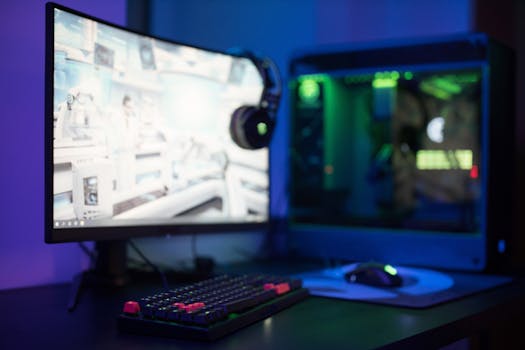
The Real Upgrade Is Not the Refresh Rate
The immediate headline is 360 Hz. Until this announcement, both Samsung and LG capped consumer OLED monitor panels at 240 Hz. Jumping to 360 Hz is a measurable, quantifiable upgrade for competitive players. It reduces frame delivery latency by roughly 1.8ms per frame compared to 240 Hz. In fast-paced shooters, that is a tangible edge.
But the more consequential change is the shift from a triangular subpixel arrangement to a true RGB-stripe layout.
Previous QD-OLED panels used a triangular RGB pattern. The pixels still produced red, green, and blue light without relying on a white subpixel (a key distinction from LG’s WOLED panels, which use WOLED + color filters to boost brightness at the cost of color purity). However, the triangular layout is structurally non-standard for desktop operating systems. Windows assumes a vertical RGB-stripe subpixel structure to drive subpixel rendering features, most notably ClearType font smoothing.
(Samsung introduced the RGB-stripe layout earlier in 2026 on a 34-inch 1440p ultrawide panel, but oddly omitted it from the initial 4K 32-inch generation released around the same time. This new panel corrects that gap.)
The mechanism here is straightforward: when the physical subpixel grid matches the operating system’s rendering assumption, the OS can address individual color subpixels to fake higher resolution along text edges. The outcome is significantly cleaner text rendering at native resolution without relying on aggressive software blurring or scaling tricks. For a monitor that will spend 40-60% of its life displaying static text—code, Discord, spreadsheets—this is not a minor quality-of-life fix. It reclassifies the panel from "great for games, acceptable for work" to genuinely dual-purpose.

HDR True Black 600: What the Certification Actually Demands
This is the first consumer OLED monitor panel to receive HDR True Black 600 certification from VESA. The previous ceiling for OLED monitors was effectively True Black 400, which requires a peak brightness of 400 nits on a 10% APW (Area Percent White) window while maintaining a true black floor (near zero nits, no local dimming bloating because OLED pixels self-emit and self-disable).
True Black 600 raises that 10% window requirement to 600 nits. The mechanism driving this is likely a combination of Samsung’s existing QD-OLED blue-LED excitation layer improvements and more aggressive thermal management to sustain higher luminance without immediate pixel burn-in risk or brightness rolloff. The outcome is brighter HDR highlights in supported content—explosions, specular reflections, UI elements—without sacrificing the infinite contrast ratio that makes OLED HDR visually distinct from mini-LED alternatives.
The caveat: full-screen sustained brightness on OLEDs remains lower than the 600-nit peak. This certification measures small-window highlights, not a uniformly lit white screen. If your workload is a full-screen SDR spreadsheet at maximum brightness, mini-LED still holds the sustained luminance advantage. This panel is optimized for mixed-content scenes with deep blacks and punctuated highlights. That is what HDR content actually looks like.
Dual-Mode Functionality: 4K/360Hz and 1080p/680Hz
The panel supports a dual-mode toggle. At native resolution, you get 4K at 360 Hz. Drop to 1080p, and the panel hits 680 Hz.
The mechanism is a display-scaling shortcut: by driving fewer total pixels, the display controller can push frame updates at roughly double the rate. The outcome is a monitor that attempts to serve two fundamentally different use cases without requiring the user to own two displays. High-end single-player games with demanding visuals run at 4K/360Hz where GPU headroom allows. Competitive titles like *Counter-Strike 2* or *Valorant*, where players routinely drop resolution to maximize frame rates, can leverage the 680Hz mode at 1080p.
Is 680 Hz at 1080p on a 32-inch panel visually useful? At that pixel density, 1080p looks visibly soft. The pixel grid becomes apparent. For players who are purely chasing frame-time consistency and lowest possible input lag, the refresh rate matters more than the resolution. But if visual clarity in competitive play is a priority, a smaller 24-inch or 25-inch 1080p panel at 500+ Hz will still look sharper simply because the pixel density matches the resolution. This dual-mode is a strong value-add, not a full replacement for a dedicated esports monitor.

How It Compares to the Previous Generation
Samsung’s prior 32-inch 4K QD-OLED panel (reviewed in monitors like the MSI MPG 322UR X24) delivered 240 Hz, HDR True Black 400, and used the triangular subpixel layout. It was excellent for gaming but carried the known QD-OLED text-fringing penalty in desktop use.
This new panel addresses both complaints simultaneously: the subpixel fix targets text clarity, and the True Black 600 certification targets HDR brightness headroom. The 360Hz refresh is the least interesting of the three upgrades for the average buyer, but it cements the panel as the new specification ceiling for OLED gaming monitors. No competing OLED panel from LG or Samsung currently matches this combination at 32 inches.
What to Know Before Buying a Monitor Using This Panel
Samsung manufactures the panel; monitor vendors (MSI, Alienware, Asus, etc.) build the final product. The panel specification does not guarantee the monitor implementation. Specific variables to check when reviews arrive:
- Heat management: 360 Hz at 4K generates significant thermal load. Vendors that underspec the heatsink will introduce brightness throttling under sustained load. Wait for thermal throttling benchmarks before committing.
- Input lag implementation: The panel supports 360 Hz, but the scaler and processing pipeline add latency. Look for raw input lag measurements, not just the refresh rate spec.
- Subpixel rendering defaults: Even with an RGB-stripe layout, some vendors force aggressive sharpening or overscan at 1080p in dual-mode. Check if ClearType behaves correctly out of the box or requires manual calibration.
- Pricing tier: Early-generation panels with new certifications carry a premium. The previous 240Hz/True Black 400 panels will drop in price. Decide whether the RGB-stripe text fix and 120Hz bump justify the likely $300–$500 delta.
Frequently Asked Questions
What is the difference between QD-OLED and WOLED?
QD-OLED uses blue OLED emitters with a quantum dot color conversion layer to produce red and green light directly. WOLED (used by LG) uses white OLED emitters with RGB color filters. QD-OLED avoids the light-loss penalty of color filters, delivering higher color volume and purer primaries. WOLED compensates with a white subpixel that boosts peak brightness but reduces color accuracy at bright levels.
Does the RGB-stripe layout eliminate all text clarity issues on OLED?
It eliminates the subpixel-mismatch issue that caused fringing with ClearType on triangular QD-OLED layouts. Text will render significantly cleaner at native 4K resolution. However, at non-native resolutions (like 1080p in dual-mode), scaling artifacts will still exist. The fix is structural, not magical.
Is HDR True Black 600 bright enough for a well-lit room?
For HDR highlights on a 10% window, 600 nits is visibly brighter than the previous 400-nit OLED standard. But for full-screen SDR content in a brightly lit room, OLEDs still lag behind high-end mini-LED monitors that sustain 700–1000+ nits across the entire screen. If your room has strong ambient light and you do not control it, mini-LED remains the better choice for raw visibility.
When will monitors with this panel be available?
Samsung announced the panel specification in late May 2026. Monitor vendors typically take 2–4 months to ship finished products after a panel announcement. Expect retail availability in Q3 or Q4 2026, with reviews arriving slightly earlier.
Should I skip the current 240Hz QD-OLED monitors because of this announcement?
Not necessarily. If your primary use is gaming and you do not spend significant time reading text on the monitor, the triangular subpixel layout on current 240Hz panels is a known, tolerable compromise. If text clarity is a priority—or if you want the highest HDR brightness available on OLED—waiting for the new panel is the better call. Current 240Hz QD-OLEDs will also drop in price, making them strong value picks for gaming-only setups.
Bookmark this page or check back for updated benchmarks once retail monitors using this panel are officially reviewed.




