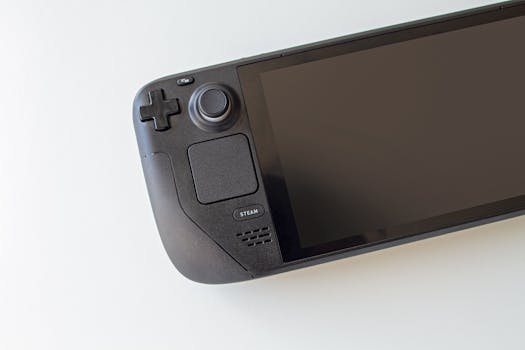
Masters of Albion runs on Steam Deck. The "Unsupported" label is a bureaucratic artifact, not a performance death sentence. 22cans optimized the game for handheld—trackpad support, full Steam Input, the works—yet Valve's queue backlog and opaque criteria left it stranded. Early performance was rough: sub-30 fps dips into the teens at launch. But the gap between "Unsupported" and "unplayable" is where smart players make their money. This guide is for anyone standing at that gap, deciding whether to jump.
The Anti-Consensus Wedge: Verification Is a Queue Position, Not a Quality Score
Here's what most Steam Deck owners miss: Valve's verification system measures compliance with a checklist, not subjective playability. Text size. Default controller mapping. Proton compatibility. Launcher behavior. The "Unsupported" tag on Masters of Albion stems from procedural limbo—22cans submitted, Valve hadn't processed—not from some hidden performance catastrophe discovered in testing.
This matters because players use verification as a lazy filter. They scroll past "Unsupported" games assuming brokenness. In doing so, they miss titles where the developer did the optimization work but the paperwork lags. The PC Gamer report notes 22cans' explicit confidence: "fully optimised for handheld," submitted for review, awaiting badge. This is a common pattern. Skyrim—hardly an obscure indie—sat as the most-played "Unsupported" game on Steam Deck for five consecutive months. Players voted with their hours while the label called them wrong.
The hidden variable: Valve's verification queue moves at unpredictable speed, and "Playable" versus "Unsupported" often hinges on tiny UI nits (launcher requires mouse click, text renders slightly small) rather than frame rate stability. A game can stutter to 20 fps and earn "Verified" if it checks the interface boxes. Another can run smoothly but fail because the opening splash screen demands a trackpad click Valve considers non-obvious. Masters of Albion's "Unsupported" status tells you almost nothing about whether your session will feel good. It tells you Valve hasn't finished paperwork.
Your decision shortcut: Check ProtonDB and recent Steam reviews for "Steam Deck" mentions. Look for patterns in the last two weeks, not launch week. Early access games change fast. The verification badge doesn't.
First-Hour Priorities: What the Tutorial Buries
Masters of Albion is a god game. That genre carries specific failure modes: you build, you expand, you hit a resource wall you didn't see forming, you restart. The opening hour sets your trajectory more than most players realize.
Priority one: Lock your camera discipline. The game offers both traditional RTS edge-panning and a "god hand" direct control mode. The tutorial presents both as options. It does not explain that mixing them wastes actions. On Steam Deck, trackpad precision favors god hand for fine manipulation—placing individual villagers, precise terraforming—while stick + trigger works better for rapid map traversal. Pick one primary scheme in hour one. Rebinding mid-game breaks muscle memory when you can least afford hesitation.
Priority two: Village belief economy before village beauty. Early quests reward aesthetic construction. Follow them blindly and you'll sink resources into decorative structures that generate passive belief at rates dwarfed by a single well-placed shrine near high-traffic paths. Belief is your mana. Mana gates your miracles. Miracles solve your problems. The tutorial implies linear progression: build houses → attract villagers → eventually get belief. The actual flow is: identify natural congregation points → place shrines there → channel belief into miracles that accelerate everything else.
Priority three: The "optimised for handheld" detail that actually matters. 22cans implemented full Steam Input support. This means you can layer action sets—hold a grip button to shift from village management to direct god powers without menu diving. The tutorial never mentions this. Default mapping keeps everything on face buttons. That's playable. It's also slow. A custom action set, built in Steam's overlay during your first session, pays dividends for the next twenty hours. The trade-off: thirty minutes of setup now versus hundreds of awkward menu transitions later.
Mechanics the Tutorial Under-Explains
Terraforming cost scaling. Early land shaping feels free. It's not. Each manipulation raises the "instability" of that terrain tile. High instability causes collapse events—villages swallowed, resources lost, belief generation zeroed. The UI shows instability as a subtle color shift the tutorial never flags. By the time you notice, you've sculpted a disaster zone. Rule: never raise or lower the same tile more than twice without letting it rest. The game doesn't teach this. It punishes it.
Villager AI pathfinding and Deck-specific behavior. On Steam Deck's smaller screen, you lose peripheral awareness of off-screen villager activity. PC players with wider monitors catch brewing problems earlier. The compensating mechanic: audio cues. Villagers emit distinct vocalizations when starving, frightened, or converting to heresy. The tutorial mentions none of this. Play with headphones. The sound design is doing work the screen can't.
Miracle combo timing. Individual miracles have clear effects. Combined, they multiply. Rain + sunlight = accelerated crop growth beyond either alone. Lightning on wet ground = chain effects across conductive terrain. The tutorial teaches miracles in isolation, as unlockable rewards. It never suggests experimentation. The hidden depth: miracle combinations often bypass problems the "intended" progression would solve with infrastructure. A drought killing farms? Rain+sunlight buys time to build aqueducts. A plague? Purification + targeted lightning on infection sources contains spread faster than the hospital chain the quest log demands.

Mistakes That Waste Time, Currency, or Progression
Over-building housing. Each house consumes wood and stone maintenance. Empty houses still cost. Villagers migrate based on job availability, not housing availability. Build housing to match current jobs plus modest buffer—roughly 120% of workforce—not to attract population you can't employ. The tutorial's "build three houses" quest creates a trap: players see housing as growth driver, when it's actually growth response. Wrong order. Wasted stone. Stone gates military and defensive options later.
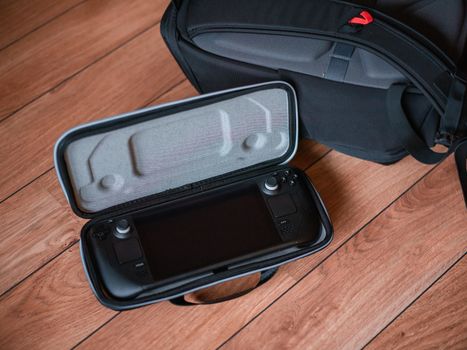
Ignoring the Deck's thermal behavior. Masters of Albion's early performance issues—those 20s fps dips—correlate with sustained load, not momentary effects. On Steam Deck, this means the fan curve and thermal throttle point matter. Playing plugged in versus battery changes performance profile. The game doesn't communicate this. Your hardware does, subtly, through frame time variance. If fps feels unstable after thirty minutes, a five-minute pause (real pause, not sleep) lets thermals settle. Pushing through degrades the session. Most players blame the game, not their thermal management, and quit frustrated.
Sunk-cost attachment to miracles. Unlocking a miracle feels like earning a tool you should use. Some miracles are situational traps. The "meteor" miracle destroys resources, spreads fire, and generates heresy in survivors. It solves immediate threats—invading armies, unkillable monsters—at massive collateral cost. Players who earned it feel compelled to deploy it. The smarter play: let armies reach your prepared defensive terrain, use cheaper miracles to shape engagement, accept minor damage. Meteor is emergency brake, not standard tool. The tutorial's triumphal unlock animation sells it as reward. It's actually liability with narrow application.

The Next 2-3 Decisions That Shape Your Run
Decision one: Aggressive expansion versus defensive consolidation. This forks around hour two. Aggressive play claims more territory, more resource nodes, more villager spawn points. It also stretches miracle range, increases instability management load, and multiplies threat vectors. Defensive play builds tall: fewer tiles, higher stability, stronger belief-per-villager ratios. On Steam Deck, with reduced map awareness, defensive plays cleaner. The asymmetry: aggressive wins faster when executed perfectly, but Deck interface friction raises execution error rate. Most players overestimate their perfection.
Decision two: Miracle specialization versus generalization. The tech tree allows broad miracle access or deep investment in one school—nature, war, healing, etc. Generalization handles varied threats. Specialization solves specific problems overwhelmingly. Early access balance shifts; nature currently offers strongest combo potential. The risk: patch changes. The hedge: specialize in nature for current meta, but maintain one miracle slot for off-school emergency (typically healing). This costs one slot permanently. It buys survival against balance surprises.
Decision three: Handheld session length design. Masters of Albion has no "pause and resume" that preserves exact state cleanly; sleep mode works, but longer sleeps sometimes desync audio or cause input lag on wake. The practical choice: design sessions around completeable loops—one quest chain, one village crisis, one expansion phase—rather than arbitrary stop points. This is Deck-specific discipline. PC players alt-tab without consequence. Your handheld reality demands intentional session architecture.
The One Thing to Do Differently
Stop checking the verification badge first. Start checking whether the developer invested in handheld optimization, whether recent player reports confirm playability, and whether your personal tolerance for 30 fps with dips matches the game's offering. Masters of Albion's "Unsupported" status is noise. The signal is in 22cans' trackpad implementation, their Steam Input depth, their stated intent. Verify the game through play, not through Valve's unfinished queue. Your Steam Deck library is narrower than it should be if you're letting a bureaucratic lag dictate your choices.





